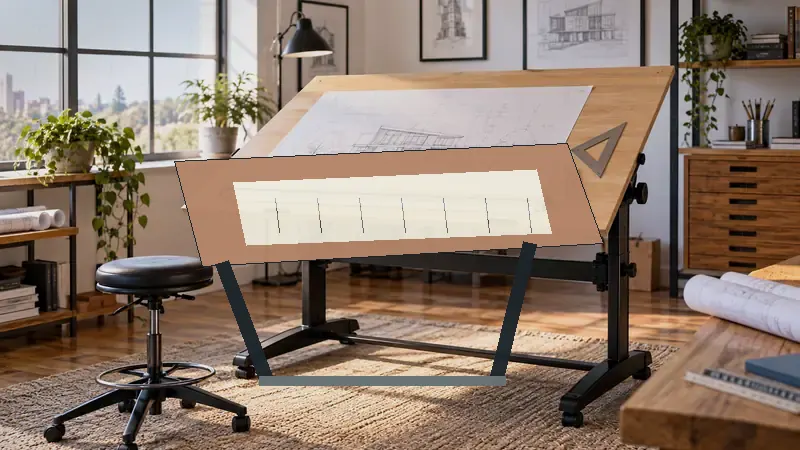
A parallel straightedge turns a portable drawing board from a flat surface into a practical drafting station. The bar keeps horizontal lines aligned while you work, yet the board still needs to fit on a desk, in a classroom, or beside a larger studio setup. Buyers often focus on the straightedge alone and overlook the board size, working angle, surface material, carry handle, and the amount of room needed around the moving mechanism.
The products below range from compact A4 and 16-by-21-inch boards to large 30-by-42-inch models. Some prioritize easy transport, while others give architectural students and large-format drafters more usable drawing area. The Acurit 20-by-26-inch PXB Drawing Board stands out as the strongest overall balance because it combines a parallel motion bar, seven angle settings, a built-in ruler, and a useful mid-size surface without the footprint of the largest boards.
A quick comparison can make the size and feature differences easier to see before you read the individual reviews.
Best Portable Parallel Straightedges Comparison Table
| Product | Best For | Board Size | Adjustment |
|---|---|---|---|
| Acurit Multi-Angled 20"x26" PXB Drawing Board | Best overall | 20 x 26 inches | 7 angles, up to 45 degrees |
| Proartek PK00015 PXB24 | Students and value seekers | 18 x 24 inches | Folding legs, locking straightedge |
| Acurit Multi-Angled 24"x36" PXB Drawing Board | Large-format work | 24 x 36 inches | 7 angles, up to 45 degrees |
| Proartek PK00018 PXB36 | Large drawings with aluminum bar | 24 x 36 inches | Locking straightedge, folding legs |
| Proartek PK00019 PXB42 | Maximum drawing area | 30 x 42 inches | Locking straightedge, folding legs |
| Proartek PK00016 PXB26 | Mid-size portable drafting | 20 x 26 inches | Locking straightedge, folding legs |
| Acurit Multi-Angled 16"x21" PXB Drawing Board | Compact workspaces | 16 x 21 inches | 7 angles, up to 45 degrees |
| Portable Parallel Straightedge Board | Simple compact drafting | 16 x 21 inches | Basic parallel straightedge format |
| Zonon A4 Portable Drawing Board | Budget A4 drafting | 15.75 x 11.81 inches | Adjustable tilt and locking ruler |
The detailed reviews explain how each board handles size, portability, line control, and everyday drafting routines.
1. Acurit Multi-Angled 20"x26" PXB Drawing Board with Parallel Motion Bar: Best Overall

The Acurit 20-by-26-inch PXB occupies a useful middle ground. A student sketching floor plans at a kitchen table gets more room than a compact 16-by-21-inch board, while a designer sharing a small studio avoids the bulk of a 24-by-36-inch surface. Its fitted parallel motion bar uses crossed wires and pulleys, and the listing describes convenient dials for moving and setting the bar during horizontal drafting.
Seven drawing angles, reaching up to 45 degrees, give this board flexibility for seated or tabletop work. The 17mm laminated melamine surface is nonporous, so pencil marks and ordinary drafting messes should be easier to clean than they would be on an unfinished surface. A transparent ruler with inch markings and an inking edge adds practical detail for line spacing and helps keep wet marks away from the moving edge.
Pros
- 20 x 26-inch surface balances drawing room and portability
- Parallel motion bar supports aligned horizontal lines
- Seven adjustable angles reach up to 45 degrees
- Built-in transparent ruler includes an inking edge
- Rubber feet and a carry handle support tabletop transport
Cons
- Its mid-size surface may be limiting for very large plans
- The pulley and wire mechanism adds more parts to manage than a basic ruler
This model suits buyers who want one portable board for technical drawing, sketching, and classroom work. It is especially appealing when a 16-by-21-inch board feels cramped but a large-format board would dominate the room. Buyers who routinely work on 24-by-36-inch sheets should step up to a larger option instead. For most mixed-use drafting routines, this is the most balanced pick in the group.
To buy this product, click here.
2. Proartek PK00015 Model PXB24 Portable Drafting Drawing Board: Best Value

The Proartek PXB24 gives students a substantial 18-by-24-inch workspace without moving into the largest board category. Its aluminum parallel straightedge has top-mounted adjustment knobs and brake knobs at both ends, allowing the bar to be positioned and locked across the surface. That setup is particularly useful for someone learning technical drawing and wanting a more controlled alternative to a loose ruler.
The white melamine-laminated particle board surface is paired with folding metal legs, rubber-dipped leg ends, underside rubber grip tracks, and an ergonomic carry handle. The listing also specifies a clear 0.12-inch acrylic blade with inking edges, 3/16-inch clearance, and inch-and-centimeter measurements. It ships assembled, which may appeal to a student who would rather start drafting than sort through a complicated setup.
Pros
- 18 x 24-inch size suits many student drafting assignments
- Aluminum straightedge includes adjustment and brake knobs
- Clear acrylic blade has inch and centimeter measurements
- Folding legs and carry handle support relocation
- Melamine surface offers a smooth, cleanable drawing area
Cons
- Smaller than the 24-by-36-inch boards for large-format plans
- Its straightedge system does not list the seven angle settings found on the Acurit models
This is a sensible fit for architecture students, hobbyists, and home users who want useful working space without jumping to a very large board. The 11-pound listed package weight is easier to manage than the larger Proartek models, although the board still needs a suitable table or desk. Choose it over the Acurit 20-by-26-inch model if the aluminum straightedge and inch-plus-centimeter markings matter more than extra surface area.
To buy this product, click here.
3. Acurit Multi-Angled 24"x36" PXB Drawing Board with Parallel Motion Bar: Best for Large-Format Work
Large plans can feel like they are constantly bumping into the edge of a compact board. The Acurit 24-by-36-inch PXB addresses that problem with a broad surface intended for drawing, sketching, drafting, and painting. Its parallel motion bar uses a crossed-wire and pulley arrangement, while the transparent ruler provides inch markings and an inking edge along the working path.
The board also offers seven angle settings up to 45 degrees. That matters in a shared workspace where one person may draw seated at a low table and another may prefer a steeper setup. Rubber feet and a handle help with repositioning, but the larger surface still demands more storage and carrying room than the smaller Acurit boards.
Pros
- 24 x 36-inch surface supports larger drawings
- Parallel motion bar provides controlled horizontal movement
- Seven angle settings offer flexible tabletop positioning
- 17mm melamine surface is nonporous and easy to wipe
- Built-in ruler includes inch markings and an inking edge
Cons
- Larger footprint requires a spacious work surface
- Less convenient to carry and store than the 16-by-21-inch and 20-by-26-inch versions
This board is a strong match for buyers who need a large drawing area but still want a portable, angle-adjustable format. It makes more sense in a studio, dedicated office, or architecture workspace than in a crowded dorm room. If your typical work is limited to smaller sheets, the extra surface becomes a storage burden rather than a benefit.
To buy this product, click here.
4. Proartek PK00018 Model PXB36 Portable Drafting Drawing Board: Best 24-by-36-Inch Aluminum-Bar Option
The Proartek PXB36 shares the useful 24-by-36-inch format with the larger Acurit model, but its product design centers on an adjustable aluminum parallel straightedge with top-mounted controls. The blade is listed as clear acrylic with a 3/16-inch clearance, inking edges, and both inch and centimeter measurements. For a drafter who wants a generous work area and visible dual-unit markings, those details are meaningful.
Folding metal legs and an ergonomic carry handle keep the board portable in principle, while rubber grip tracks beneath the board and rubber-dipped leg ends are aimed at keeping it positioned on a tabletop. The listed package weight is 19.60 pounds, so moving it between rooms is possible, but it is a different experience from carrying a compact A4 board under one arm.
Pros
- 24 x 36-inch drawing area accommodates large layouts
- Adjustable aluminum parallel straightedge supports controlled line work
- Clear acrylic blade provides inch and centimeter measurements
- Folding legs make storage easier than a fixed drafting station
- Carry handle and underside grip tracks support relocation
Cons
- 19.60-pound listed package weight reduces everyday portability
- Large dimensions may overwhelm a standard desk
Choose this model for large-format drafting where the aluminum straightedge and dual-unit markings are more important than a smaller footprint. It may suit an architecture student with a dedicated workstation or a home drafter who regularly spreads out plans. Buyers working at a kitchen table or moving between classrooms should look toward the PXB24 or PXB26 instead.
To buy this product, click here.
5. Proartek PK00019 Model PXB42 Portable Drafting Drawing Board: Best for Maximum Drawing Area
At 30 by 42 inches, the Proartek PXB42 is the largest board in this roundup. That extra room changes the feel of a drafting session. A large plan can remain open while notes, tools, or reference sheets sit nearby instead of sliding off the edges. Its adjustable aluminum parallel straightedge includes top-mounted adjustment knobs and brake knobs at each end for positioning and locking.
The listing specifies a white melamine-laminated particle board surface, folding metal legs, rubber grip tracks, rubber-dipped leg ends, and a carry handle. The clear acrylic blade has inking edges, 3/16-inch clearance, and inch-and-centimeter measurements. At a listed package weight of 26.45 pounds, this is portable compared with a permanent drafting table, but it is best treated as a relocatable workstation rather than a casual travel board.
Pros
- 30 x 42-inch surface offers the most drawing room here
- Aluminum straightedge includes adjustment and brake controls
- Clear blade includes inch and centimeter markings
- Folding legs reduce storage demands compared with a fixed table
- Melamine laminate provides a smooth white drafting surface
Cons
- 26.45-pound listed package weight makes frequent carrying difficult
- Requires substantial desk, table, or studio floor space
This is the specialist choice for large plans, broad layouts, and users who would rather work on one generous surface than constantly reposition paper. It makes little sense for A4 or small-format sketching, where the board would be excessive. Select it when usable area is the deciding factor and portability means folding or relocating the board occasionally rather than carrying it daily.
To buy this product, click here.
6. Proartek PK00016 Model PXB26 Portable Drafting Drawing Board: Best Mid-Size Proartek
The Proartek PXB26 is listed as a 20-by-26-inch portable drawing board, placing it close to the Acurit 20-by-26-inch option in usable surface area. Its appeal comes from a straightforward parallel straightedge arrangement with top-mounted adjustment knobs and brake knobs at both ends. The clear acrylic blade is listed with inking edges, 3/16-inch clearance, and inch-and-centimeter measurements.
The melamine-laminated particle board surface, folding metal legs, rubber grip tracks, and carry handle create a familiar portable-board package. The supplied listing contains inconsistent package information for this model, so buyers should verify the shipping details and exact dimensions on the product page before ordering. The stated board size still makes it a practical middle option for a desk that cannot handle a 24-by-36-inch surface.
Pros
- 20 x 26-inch format gives more room than compact boards
- Adjustable straightedge has brake knobs at both ends
- Clear acrylic blade includes dual-unit measurements
- Folding legs support tabletop use and storage
- Carry handle and underside grip tracks support movement
Cons
- Listing information for package details should be checked carefully before purchase
- Does not list the seven angle settings offered by the Acurit alternatives
This board suits someone who likes the Proartek straightedge format and wants a mid-size workspace for school assignments, diagrams, and general technical drawing. It is a practical alternative to the PXB24 for users who want a little more width and depth. Buyers who value multiple angle positions should favor Acurit, while those who want dual-unit markings and locking controls may find this Proartek more appealing.
To buy this product, click here.
7. Acurit Multi-Angled 16"x21" PXB Drawing Board with Parallel Motion Bar: Best for Compact Workspaces
A 16-by-21-inch board can be a welcome relief when every inch of a desk matters. The Acurit compact PXB keeps the core motion-bar design found on the larger models, including crossed wires and pulleys, while adding seven drawing angles up to 45 degrees. A student in a shared room or a hobbyist who clears the dining table after each session may appreciate that smaller footprint.
The 17mm laminated melamine surface is nonporous, and the transparent ruler includes inch markings and an inking edge. Rubber feet and a handle support tabletop placement and transport. The trade-off is familiar: a compact board is easier to store, but paper and layouts reach the edges sooner, especially during architectural work.
Pros
- Compact 16 x 21-inch size fits smaller desks
- Seven angle settings reach up to 45 degrees
- Parallel motion bar supports aligned horizontal lines
- Built-in ruler includes an inking edge
- Handle and rubber feet support movement between work areas
Cons
- Limited surface area for larger plans and broad layouts
- Motion-bar hardware may occupy more space than a simple portable ruler
This model is better suited to compact drafting than to large architectural sheets. It can handle everyday sketching, technical diagrams, and smaller assignments without taking over the room. If you routinely work on 18-by-24-inch or larger paper, the PXB24 or Acurit 20-by-26-inch board will feel less restrictive.
To buy this product, click here.
8. Portable Parallel Straightedge Board: Best Simple 16-by-21-Inch Option

The Portable Parallel Straightedge Board is a compact option with a listed 16-by-21-inch format. Its supplied feature information is brief, identifying the board, drawing function, parallel capability, edge, and dimensions without detailing a larger collection of angle settings, materials, or ruler markings. That makes it harder to compare feature for feature with the more fully specified Acurit and Proartek models.
Its main attraction is a focused format for buyers who want a portable board with parallel straightedge functionality and do not need a broad feature list. A 16-by-21-inch surface can work for smaller sketches, diagrams, and classroom exercises, while the modest footprint is easier to place on a desk. Buyers who need verified details about tilt, surface construction, or locking controls should review the current product listing carefully before ordering.
Pros
- Portable 16 x 21-inch format
- Parallel straightedge function matches the central buying need
- Compact footprint suits smaller work areas
- Simple feature set may appeal to users avoiding extra mechanisms
- Suitable for smaller drawing and diagramming tasks
Cons
- Supplied specifications provide limited detail about materials and adjustments
- Small surface may restrict larger paper and multi-view layouts
This board is worth considering when basic parallel straightedge functionality matters more than extensive angle adjustment or documented accessories. It is a less informative purchase than the feature-rich alternatives, so careful listing review is especially important. Choose it for compact, straightforward work, and choose the Acurit 16-by-21-inch model if seven angle settings and a built-in ruler are priorities.
To buy this product, click here.
9. Zonon A4 Portable Drawing Board: Best Budget Compact Board

The Zonon A4 board takes a different approach from the larger PXB models. Its hard-plastic board measures 40 by 30 centimeters, or approximately 15.75 by 11.81 inches, and the package includes a protractor, straightedge ruler, and L-shaped drafting square. A groove lets the ruler move across the board, while a double locking buckle helps hold it in place.
Non-slip support feet can be positioned for a tilted setup, and edge buttons help hold drawing paper. This collection of built-in tools makes the board attractive for engineering students, beginners, and anyone who wants a compact drafting kit for small-format work. It is still an A4-oriented board, so it cannot provide the broad working area of the Proartek or Acurit models.
Pros
- Compact 40 x 30cm format is easy to carry
- Includes a protractor, straightedge ruler, and L-shaped square
- Sliding ruler has a double locking buckle
- Adjustable support feet provide a tilted drawing position
- Paper-holding buttons help keep sheets in place
Cons
- A4-oriented surface is too small for larger architectural layouts
- Plastic construction and compact format provide less workspace than full-size boards
This is the budget-minded choice for small drawings, practice exercises, and portable study sessions. The included accessories add useful flexibility for someone starting from scratch, though a serious large-format drafter will outgrow the surface quickly. Pick it for convenience and low space demands, not for extensive plan production.
To buy this product, click here.
How To Choose A Portable Parallel Straightedge
Match Board Size To Your Paper
Board size is the first filter. A 16-by-21-inch surface works in a tight room, but margins disappear quickly once a drawing, ruler, and notes share the board. The 18-by-24-inch Proartek PXB24 and 20-by-26-inch models give more breathing room without reaching the scale of the 30-by-42-inch PXB42.
Large-format boards are useful when a plan must stay open for long stretches. They also need a wide, stable table and a storage spot that will not force the straightedge against a wall or stack of supplies.
Compare The Straightedge Mechanism
A parallel motion bar or straightedge is useful because it keeps horizontal lines aligned as it travels. The Acurit models list crossed wires, pulleys, adjustment dials, and a transparent ruler with an inking edge. The Proartek models list an aluminum straightedge, adjustment knobs, brake knobs, and a clear acrylic blade with inch-and-centimeter measurements.
These systems serve similar drafting purposes, but the controls and included markings differ. Buyers who work with wet ink may value an inking edge, while someone studying technical drawing may prefer visible dual-unit markings.
Look At Angle Adjustment
The Acurit boards list seven drawing angles up to 45 degrees. That range is useful in a shared space because the board can be set flatter for some tabletop work or raised for a more inclined drawing position. The Proartek listings specify folding legs but do not provide the same seven-angle description.
Do not assume that folding legs automatically mean unlimited adjustment. Check the listed positions and decide whether you need a fixed portable setup or a board that changes angle throughout the day.
Plan For Carrying And Storage
Portable does not mean equally easy to carry. The PXB42 has a listed package weight of 26.45 pounds, while the PXB24 lists 11 pounds. A handle helps, but board length and width can be just as awkward as weight in a hallway, classroom, or compact vehicle.
Measure the storage shelf, tabletop, and doorway before choosing a large board. A smaller model that can be set up consistently may serve better than a larger model that remains behind a closet door.
Check What The Listing Actually Confirms
Product descriptions vary widely. Several boards in this roundup specify surface materials, blade clearance, measurements, or angle settings in detail, while the Portable Parallel Straightedge Board listing supplies only a short feature description. Treat missing specifications as unknown rather than assuming that two similarly sized boards have identical construction.
Best Portable Parallel Straightedges FAQ
What Size Portable Parallel Straightedge Should I Buy?
Choose a board that leaves room around your usual paper size. A 16-by-21-inch board suits compact work, while an 18-by-24-inch or 20-by-26-inch model gives more room for margins and tools. Large 24-by-36-inch and 30-by-42-inch boards suit broad plans but require more storage and table space.
Are Portable Parallel Straightedges Useful For Architecture Students?
Yes. A portable board can provide a controlled horizontal reference for technical drawings while folding or moving between workspaces. The Proartek PXB24 is a practical student-sized option, while the Acurit 20-by-26-inch model adds multiple angle settings and a built-in ruler.
What Is The Difference Between A Parallel Motion Bar And A Straightedge?
Both provide a straight reference for drawing lines, but their mechanisms can differ. The Acurit listings describe a motion bar operated through crossed wires, pulleys, and dials. The Proartek listings describe an adjustable aluminum straightedge with adjustment and brake knobs.
Do I Need An Adjustable Drawing Angle?
An adjustable angle is useful if you alternate between seated and tabletop work or share the board with other users. The Acurit models list seven angles up to 45 degrees. If you always work on a flat desk, folding legs or a fixed portable design may be sufficient.
Is A4 Large Enough For Drafting?
A4 is suitable for small diagrams, practice work, and compact study sessions. It is restrictive for large plans, multi-view layouts, and drawings that need generous margins. The Zonon board is the compact A4-oriented option here, while the PXB24 provides a much larger 18-by-24-inch surface.
Are Larger Drafting Boards Still Portable?
They can be moved, especially when they include folding legs and a carry handle, but size and weight reduce convenience. The Proartek PXB42 is listed at 26.45 pounds per package and measures 30 by 42 inches as a board, so it is better suited to occasional relocation than daily commuting.
Should I Choose Acurit Or Proartek?
Acurit is the stronger fit for buyers who want seven angle settings, a parallel motion bar, and a built-in ruler with an inking edge. Proartek is appealing for buyers who prefer an aluminum straightedge, locking brake knobs, and inch-and-centimeter markings. Board size may settle the decision just as much as the mechanism.
Final Verdict
The Acurit Multi-Angled 20-by-26-inch PXB Drawing Board is the strongest overall pick among these nine products. Its mid-size work surface avoids the cramped feel of the compact boards, while seven angle settings, a parallel motion bar, rubber feet, a carry handle, and a built-in ruler cover the practical details that matter during everyday drafting. It is a particularly sensible choice for shared rooms, student workspaces, and home studios where a 24-by-36-inch board would be cumbersome.
Choose the Zonon A4 Portable Drawing Board for small-format practice and a budget-friendly accessory package. Move up to the Acurit 24-by-36-inch or Proartek PXB36 for larger plans, and select the Proartek PXB42 when maximum drawing area matters more than easy carrying. Before ordering, compare the board dimensions with your paper, desk, storage space, and usual transport route. A straightedge is most useful when the entire board fits naturally into the way you work.
