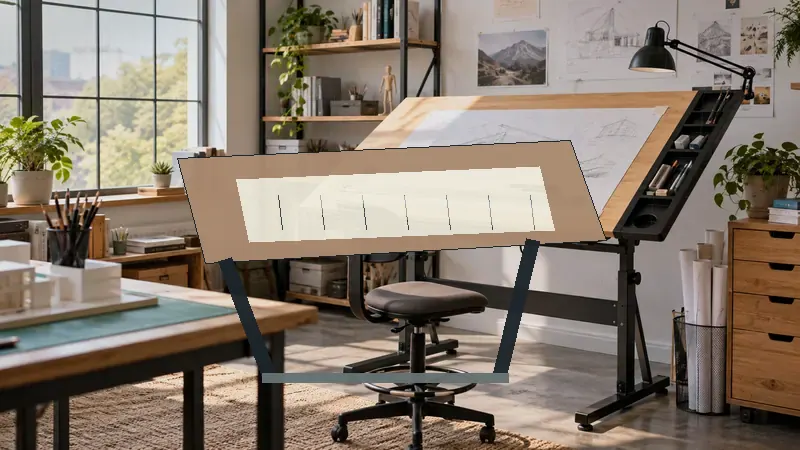
A portable drafting board earns its keep when the kitchen table, studio desk, or classroom workstation has to become a precise drawing surface in a hurry. The meaningful differences are easy to miss in product listings: a 16-by-21-inch board occupies far less room than a 24-by-36-inch model, while a parallel motion bar, adjustable angle, paper clips, and a smooth melamine surface can change how comfortable and controlled the work feels.
Buyers often focus on the word “portable” and overlook the board size, ruler system, support feet, or the amount of table space required underneath. A student carrying an A4 board between classes has different priorities from an architect working on larger layouts, and an artist may value a broad surface more than a compact carrying footprint. Among these options, the DOLEMODUO 20-by-26-inch board stands out as the strongest overall balance of working space, portability, surface design, and parallel-line control.
For a quick scan, the table below puts all nine portable drafting boards side by side.
Quick Answer
- Best overall: DOLEMODUO 20-by-26-inch Portable Drafting Board, with a 17 mm laminated melamine surface, parallel bar, and adjustable tabletop positioning.
- Best for larger drawings: Acurit 24-by-36-inch PXB Drawing Board, which gives large-format work more room while retaining seven angle settings.
- Best compact option: Acurit 16-by-21-inch PXB Drawing Board, a better fit for smaller desks and limited storage.
- Best budget option: Zonon A4 Portable Drawing Board, which includes several drafting accessories in a small plastic format.
- Best for a broad, established-style board: ALVIN PXB36, with a 24-by-36-inch surface, folding metal legs, brake mechanism, and acrylic blade.
Best Portable Drafting Boards Comparison Table
| Product | Best For | Board Size | Adjustment | Key Feature |
|---|---|---|---|---|
| DOLEMODUO 20-by-26-Inch | Overall versatility | 20 × 26 in. | Tabletop angle adjustment | Parallel bar and laminated melamine |
| Acurit 20-by-26-Inch | Precise line work | 20 × 26 in. | Seven angles, up to 45° | Motion bar with inking edge |
| DOLEMODUO 23-by-31-Inch | More drawing room | 23 × 31 in. | Tabletop angle adjustment | Large surface with parallel bar |
| ALVIN PXB36 | Large-format drafting | 24 × 36 in. | Adjustable folding legs | Acrylic blade and brake mechanism |
| Acurit 24-by-36-Inch | Large adjustable work | 24 × 36 in. | Seven angles, up to 45° | Parallel motion bar and handle |
| Zonon A4 | Students and compact work | 15.75 × 11.81 in. | Sliding tilt feet | Ruler, protractor, and drafting square |
| Acurit 16-by-21-Inch | Small desks | 16 × 21 in. | Seven angles, up to 45° | Compact parallel motion bar |
| QIJIAA A3 | Budget A3 drafting | 20.1 × 14.6 in. | Attachable tilt support legs | T-square, clips, and accessories |
| ALVIN PXB24 | Mid-size drafting | 18 × 24 in. | Adjustable folding legs | Acrylic blade and rubber grips |
The detailed reviews below show how each board’s size, adjustment system, and line-control features translate into practical use.
1. DOLEMODUO Portable Drafting Board, 20-by-26-Inch Best Overall

The DOLEMODUO 20-by-26-inch board lands in a useful middle ground. It gives a student or home user more room than a compact A4 or 16-by-21-inch board, yet its tabletop format remains easier to store than a full 24-by-36-inch surface. The listed 17 mm laminated, nonporous melamine construction provides a smooth working area that should be straightforward to wipe clean after pencil, ink, or marker work.
Its transparent straightedge uses centimeter markings and a locking system that lets the bar stay in position or glide across the board. That detail matters during technical layouts, where a loose ruler can turn a clean line into a small but irritating correction. The serrated rubber track is intended to support steadier positioning, while the board can be pulled closer and angled on a tabletop. For a bedroom desk, shared studio, or portable classroom setup, this is a particularly balanced arrangement.
Pros
- Useful 20-by-26-inch working area for general drafting and drawing.
- 17 mm laminated nonporous melamine surface is smooth and easy to clean.
- Transparent parallel bar includes centimeter markings for line work and measurements.
- Locking system allows the straightedge to hold position or move across the board.
- Serrated rubber track supports tabletop positioning and angle adjustment.
Cons
- Its 20-by-26-inch size may be limiting for very large layouts.
- The listed ruler markings are metric, which may be less convenient for users who work primarily in inches.
This board suits buyers who want one portable surface for school assignments, architectural sketches, engineering layouts, and general drawing. It is less compelling for someone who routinely works on 24-by-36-inch sheets, but it avoids the extra footprint that comes with a large-format board. For most mixed-use buyers, the balance between usable area and portability makes it the easiest recommendation in this group.
To buy this product, click here.
2. Acurit Multi-Angled 20-by-26-Inch PXB Drawing Board Best for Precise Line Work

Acurit gives this 20-by-26-inch board a more configurable setup than many basic tabletop boards. The frame offers seven drawing angles up to 45 degrees, so a user can shift from a relatively flat position to a more elevated one without replacing the entire work surface. That range is useful in a shared room, where the same board may serve a seated student one evening and a standing-at-the-table sketcher the next morning.
The parallel motion bar uses crossed wires and pulleys, with a transparent ruler and an inking edge. The inking edge is a thoughtful inclusion for wet media or freshly marked layouts because it is intended to help keep the bar from smudging the work. Rubber feet and a carrying handle support relocation, while the 17 mm laminated melamine surface gives the board a familiar drafting feel rather than a thin, flexible plastic one.
Pros
- Seven angle settings provide more positioning flexibility than fixed boards.
- Parallel motion bar supports accurate horizontal line placement.
- Inking edge helps keep the moving ruler clear of fresh marks.
- 17 mm laminated melamine surface is nonporous and easy to clean.
- Rubber feet and carrying handle assist with tabletop use and transport.
Cons
- The wire-and-pulley motion system may require more care than a basic straightedge.
- The 20-by-26-inch surface leaves less room than the larger Acurit model.
This Acurit is a strong fit for technical drawing, measured layouts, and users who care about angle control as much as portability. Buyers who prefer a simpler board with fewer moving parts may find the DOLEMODUO more straightforward, while detail-oriented drafters may appreciate Acurit’s expanded adjustment system. It is a practical middle-size choice for a home office or school workspace.
To buy this product, click here.
3. DOLEMODUO Portable Drafting Board, 23-by-31-Inch Best for More Drawing Room
The 23-by-31-inch DOLEMODUO follows the same general design as the smaller model but gives broad drawings more breathing room. That extra surface can be useful when a sheet needs room for title blocks, reference notes, or an unobstructed working margin. A designer moving between a home table and a studio may prefer this larger footprint when the project feels cramped on a compact board.
Its 17 mm laminated melamine surface is listed as smooth, nonporous, and easy to wipe down. The transparent straightedge provides centimeter markings and uses a locking mechanism for fixed or sliding movement. A serrated rubber track supports the board’s tabletop position and helps the user pull it closer or alter the drawing angle. This is a broad, portable drafting surface, although “portable” here still means a larger object to store and carry than the smaller DOLEMODUO.
Pros
- 23-by-31-inch surface accommodates larger layouts than most compact options.
- Parallel bar supports horizontal lines and measurement work.
- 17 mm laminated melamine offers a smooth, nonporous drawing surface.
- Rubber track supports positioning and tabletop angle changes.
- Suitable for architecture, engineering, design, art, and student work.
Cons
- Larger dimensions demand more storage and table space than the 20-by-26-inch version.
- Centimeter markings may not suit workflows built around inch measurements.
Choose this board when working area outranks maximum compactness. It may be especially useful for users who regularly spread out a larger sheet but still need a board that can move between rooms. Buyers with a small desk should measure their available surface first, because the extra drawing room only helps if the board can sit securely without crowding the workspace.
To buy this product, click here.
4. ALVIN Portable Drafting Board PXB36, 24-by-36-Inch Best for Large-Format Drafting

The ALVIN PXB36 is built around a generously sized 24-by-36-inch work surface, making it the natural fit for buyers who find smaller portable boards restrictive. Its white aluminum straightedge and crystal-clear acrylic blade are aimed at precise drawing, while the listed blade clearance accommodates materials such as foam board and cutting mats. That flexibility may appeal to a studio user who shifts between drafting and presentation-board work.
Top-mounted adjustment knobs and folding metal legs give the board a more complete workstation feel than a simple flat drawing board. A brake mechanism and rubber grips are intended to help secure it in place. The trade-off is physical scale. A board this large can be portable in the sense that it folds and has an ergonomic carrying handle, but it still needs a wide table or suitable support surface at the destination.
Pros
- 24-by-36-inch surface provides substantial room for large drawings.
- Includes an aluminum straightedge and acrylic blade.
- Blade clearance supports use with foam board and cutting mats.
- Folding metal legs provide a portable adjustable setup.
- Brake mechanism and rubber grips support secure positioning.
Cons
- Its large footprint is difficult to accommodate on compact desks.
- More cumbersome to store and transport than the smaller boards in this roundup.
The PXB36 makes sense for architecture students, designers, and artists who regularly need broad working space and can dedicate a table to the board during use. It is a poor match for commuters carrying equipment between small classrooms, but a more suitable tool for a home studio that needs a large surface without a fixed drafting table. Measure doorways, storage shelves, and table depth before ordering.
To buy this product, click here.
5. Acurit Multi-Angled 24-by-36-Inch PXB Drawing Board Best Adjustable Large Board
For buyers who want a large surface with a clearly stated angle system, the Acurit 24-by-36-inch board deserves attention. Its frame offers seven drawing angles up to 45 degrees, and the handle is intended to make repositioning less awkward. Large sheets can spread across the melamine surface with room for rulers, notes, and working margins, which is where a full-size board earns its keep.
The parallel motion bar uses crossed wires and pulleys to guide horizontal lines. A transparent ruler with inch markings and an inking edge adds a useful imperial-measurement focus. Rubber feet are listed for steadier placement, while the nonporous 17 mm surface should be easy to clean. The central compromise is obvious: the board offers substantial capability, but its size and moving mechanism make it better suited to a dedicated home workspace than a backpack.
Pros
- 24-by-36-inch surface supports large-format drafting.
- Seven angle settings extend up to 45 degrees.
- Parallel motion bar supports aligned horizontal lines.
- Transparent ruler uses inch markings and includes an inking edge.
- 17 mm laminated melamine surface is nonporous and easy to clean.
Cons
- Large dimensions make it less convenient for small desks and frequent relocation.
- Wire-and-pulley components add mechanical complexity compared with a basic board.
This Acurit is best for buyers who want large-format capacity and adjustable positioning in one tabletop unit. It may suit a home studio, design office, or classroom workstation with enough space to leave the board assembled. If portability means carrying the board daily, the 16-by-21-inch or A4 options are easier to live with.
To buy this product, click here.
6. Zonon A4 Portable Drawing Board Best Budget Compact Option

The Zonon A4 board is aimed at portability first. Its listed dimensions are 15.75 by 11.81 inches, and the hard-plastic construction makes it much easier to carry than the larger melamine boards. A student can move it between a dorm room, classroom, and library table without needing a large case or a wide vehicle compartment, which gives this compact format a very practical role.
Despite its size, the package includes a straightedge ruler, protractor, L-shaped drafting square, and support feet. The ruler slides in a groove and uses a double locking buckle, while edge buttons help hold paper in place. The smaller A4 working area will not suit large architectural sheets, but it can handle compact technical exercises, diagrams, measured sketches, and practice work without swallowing the desk.
Pros
- Compact 15.75-by-11.81-inch format is easy to carry and store.
- Includes a straightedge ruler, protractor, and L-shaped drafting square.
- Sliding ruler uses a groove and double locking buckle.
- Support feet provide an adjustable tilted position.
- Paper-holding buttons help keep sheets in place.
Cons
- A4-scale working area is too small for many large-format drawings.
- Hard plastic construction offers a different feel from the thicker melamine boards.
This is the sensible choice for a student who needs a complete, inexpensive drafting setup in a small package. It also works for occasional technical drawing at home, but buyers planning full-size architecture layouts should move up to a larger board. The included accessories add value for beginners who do not already own a protractor or drafting square.
To buy this product, click here.
7. Acurit Multi-Angled 16-by-21-Inch PXB Drawing Board Best for Small Desks
The Acurit 16-by-21-inch board trims the footprint while retaining the main features of the larger PXB designs. Seven angle settings reach up to 45 degrees, and rubber feet help it sit on a tabletop. That makes it a sensible match for a small apartment desk, student workstation, or shared table where a 24-by-36-inch board would become an obstacle rather than a useful tool.
The parallel motion bar and transparent ruler support aligned horizontal lines, and the ruler includes inch markings plus an inking edge. The 17 mm laminated melamine work surface gives this compact board a more substantial specification than a thin plastic clipboard-style product. It still has enough area for many sketches and technical exercises, but the reduced width may require more repositioning for broad drawings.
Pros
- Compact 16-by-21-inch size suits smaller workspaces.
- Seven angle settings provide flexible tabletop positioning.
- Parallel motion bar supports horizontal line control.
- Inch-marked transparent ruler includes an inking edge.
- 17 mm laminated melamine surface is nonporous and easy to clean.
Cons
- Smaller surface may require repositioning for broad layouts.
- Provides less drawing room than the 20-by-26-inch Acurit model.
Choose this board when desk space is the main constraint but a true parallel motion system still matters. It offers more drafting-oriented features than the smallest A4 board, while remaining easier to place on a crowded table. Buyers who routinely work with larger sheets should step up in size rather than trying to force a broad project onto this compact surface.
To buy this product, click here.
8. QIJIAA A3 Multifunctional Drawing Board Best Value A3 Option

The QIJIAA A3 board sits between the compact A4 format and the larger tabletop drafting boards. Its listed size is 20.1 by 14.6 inches, and the hard-plastic construction keeps the board relatively easy to store. For a student working on A3-size exercises, that footprint can feel more comfortable than an A4 board without demanding the room of a full professional drafting surface.
A sliding T-square ruler is intended to maintain a 90-degree relationship with the board, and buckles on both sides can hold it in place. Paper clips, a bottom scale clamp, a protractor, an L-shaped drafting square, and two tilt support feet give the package useful range. The design is more accessory-rich than the larger melamine boards, but the plastic surface and smaller size place it firmly in the compact, occasional, and student-oriented category.
Pros
- A3-oriented size offers more room than the compact A4 format.
- Sliding T-square is intended to maintain a 90-degree line relationship.
- Includes paper clips and a bottom scale clamp.
- Package includes a protractor, drafting square, and tilt support feet.
- Hard-plastic construction is easy to store and transport.
Cons
- Plastic construction may feel less substantial than the 17 mm melamine boards.
- The A3-sized surface remains too limited for large-format drafting.
This QIJIAA is a useful value pick for students, hobbyists, and occasional technical drawers who want several basic tools in one package. It may be a better starting point than buying a bare board and separate rulers, though experienced drafters who prioritize a larger surface or heavier parallel-bar system may prefer the DOLEMODUO or Acurit models.
To buy this product, click here.
9. ALVIN Portable Drafting Board PXB24, 18-by-24-Inch Best Mid-Size Traditional Board
The ALVIN PXB24 offers a middle-size 18-by-24-inch surface, placing it between compact student boards and the larger 24-by-36-inch options. Its aluminum straightedge, clear acrylic blade, and melamine top are aimed at accurate drawing work, while the smaller footprint is easier to fit on a home desk. For someone who wants a traditional drafting-board layout without committing to the largest model, this size is a sensible compromise.
The product includes top-mounted adjustment knobs, folding metal legs, a brake mechanism, and rubber grips. The acrylic blade has an inking edge underneath and listed clearance for foam board, cutting mats, and similar materials. It does not present the same seven-angle specification as the Acurit boards, but its folding support system and familiar hardware may appeal to buyers who prefer a straightforward board with a mid-size surface.
Pros
- 18-by-24-inch surface balances working room and desk footprint.
- Includes an aluminum straightedge and clear acrylic blade.
- Acrylic blade has an inking edge and listed clearance for work materials.
- Folding metal legs support a portable adjustable setup.
- Brake mechanism and rubber grips help secure the board.
Cons
- Smaller than the ALVIN PXB36 for large-format work.
- Its adjustment system is less explicitly configurable than the seven-angle Acurit boards.
The PXB24 is a good fit for buyers who want a recognizable mid-size drafting board for a home office, student room, or compact studio. It may be preferable to a plastic A3 board for users who want a broader melamine surface and acrylic blade, while the DOLEMODUO offers a more clearly portable tabletop approach. Check the available desk depth before setting up the folding legs.
To buy this product, click here.
Buying Guide For Portable Drafting Boards
Match Board Size to Paper and Workspace
Board size affects two things at once: the drawing area and the room left around it. An A4 board is convenient for compact exercises, but it can feel tight once a drawing needs margins, notes, or a ruler resting beside the paper. A 20-by-26-inch board offers a more comfortable general-purpose surface, while 23-by-31-inch and 24-by-36-inch models need a considerably wider table.
Measure the tabletop depth and width before ordering. A board that extends beyond the front edge can shift during use, and one that crowds a wall or monitor may be awkward to reach. Portability means little if the board cannot be placed securely at the destination.
Look for a Useful Straightedge System
A parallel bar or sliding T-square is one of the most meaningful features on a drafting board. It helps create repeated horizontal lines without repositioning a separate ruler by hand. The Acurit boards use a parallel motion bar with crossed wires and pulleys, while the DOLEMODUO models use a transparent straightedge with a locking system.
Check the marking system as well. The DOLEMODUO listings specify centimeter markings, while the Acurit boards list inch markings. That difference can matter more than a small price gap if a project uses a particular measurement system.
Evaluate Angle Adjustment
A tilted surface can make a tabletop board more comfortable than a flat sheet, especially during longer drawing sessions. The Acurit models specify seven angles up to 45 degrees. The Zonon and QIJIAA boards use support feet, while the ALVIN boards use folding legs and adjustment hardware.
More adjustment gives flexibility, but it can also add parts that need careful positioning. A buyer who mainly sketches at one familiar angle may prefer a simpler support design, while someone sharing a board with several users may appreciate a broader adjustment range.
Check the Surface Material
Laminated melamine appears across several larger boards in this roundup. It is described as nonporous and easy to clean, which is useful for pencil dust, graphite smears, and occasional ink marks. Hard plastic boards such as the Zonon and QIJIAA options prioritize lower weight and compact storage.
A surface should also leave enough room for the chosen paper format. A smooth board does not compensate for a sheet that overhangs the working area or leaves no space for a straightedge.
Think About Carrying and Storage
Handles, rubber feet, folding legs, and compact dimensions all help with moving a board between work areas. Large boards can still be portable, but their size may require a dedicated storage location. Smaller boards can slide onto a shelf or into a closet, though the reduced drawing area may require more repositioning.
Students should weigh the board’s size against the distance it will travel each day. Home users may gain more from a broad surface that stays assembled, especially if the board is used for long drawing sessions rather than carried between rooms.
Best Portable Drafting Boards FAQ
What Size Portable Drafting Board Should I Buy?
Choose a size based on the largest paper and layout you expect to use. A4 and A3 boards suit compact exercises and limited desks. A 20-by-26-inch board is a flexible middle ground, while 23-by-31-inch and 24-by-36-inch boards provide more room for broad architectural or design work.
Are Portable Drafting Boards Suitable for Architecture Students?
Yes, provided the board supports the paper sizes and drawing methods used in the student’s coursework. The DOLEMODUO 20-by-26-inch board and Acurit 20-by-26-inch board offer useful general-purpose sizes. Students who carry the board frequently may prefer the Zonon A4 or QIJIAA A3 models.
What Is a Parallel Motion Bar Used For?
A parallel motion bar guides a straightedge across the board so horizontal lines remain aligned. It is useful for technical layouts, measured drawings, and repeated construction lines. Some systems use wires and pulleys, while others use a locking or grooved straightedge.
Are Larger Drafting Boards Still Portable?
They can be portable in a folding or movable sense, but a 24-by-36-inch board still requires substantial storage and table space. Large boards are better for users who move them occasionally between work areas. Daily commuters will generally find compact boards easier to carry.
Should I Choose Metric or Inch Markings?
Choose the marking system that matches your drawings, templates, and coursework. The DOLEMODUO boards list centimeter markings. The Acurit boards list inch markings. Confirm the ruler format before purchasing if measurement compatibility is central to your work.
Can These Boards Be Used for Art?
Yes. The smooth surfaces and adjustable angles can support sketching, illustration, painting preparation, and mixed technical-art projects. Check the product’s surface and blade clearance if you plan to use wet media, cutting mats, or thicker materials.
Do Portable Drafting Boards Include Rulers?
Many do, but the included tools differ. The larger DOLEMODUO and Acurit boards include straightedge systems. The Zonon includes a straightedge, protractor, and L-shaped drafting square, while the QIJIAA includes a T-square, protractor, drafting square, clips, and support feet.
What Should I Place Under a Portable Drafting Board?
Use a firm, level tabletop that supports the board across its contact points. Leave enough space for the board’s feet or folding supports, and avoid placing it where an edge hangs unsupported. A stable surface helps the ruler and paper-holding features work as intended.
Final Verdict
The DOLEMODUO 20-by-26-inch Portable Drafting Board is the strongest overall pick because it balances a useful working area with a tabletop-friendly footprint. Its 17 mm laminated melamine surface, transparent centimeter-marked straightedge, locking system, and serrated rubber track give it a practical feature set for students, designers, engineers, and artists. It is large enough for serious general drafting without becoming as demanding to store as the 24-by-36-inch boards.
Buyers who need more drawing room should look at the Acurit 24-by-36-inch board or ALVIN PXB36. The Acurit 16-by-21-inch board is better for a crowded desk, while the Zonon A4 and QIJIAA A3 models keep the purchase compact and accessory-rich. Before choosing, compare the largest paper size, measurement system, support footprint, and storage location. The best portable drafting board is the one that gives your work enough room without turning every setup into a furniture-moving project.
