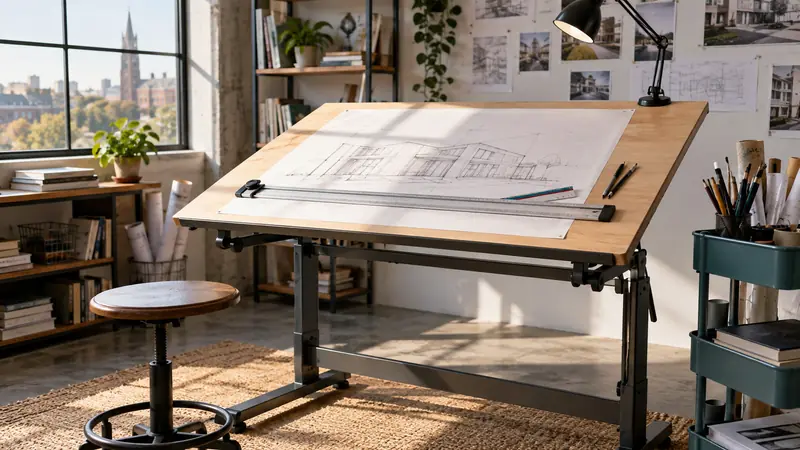
Picture an architecture student moving between a dorm room, a shared studio, and a crowded critique space with a half-finished plan tucked under one arm. A full-size drafting station may offer generous room, yet it can overwhelm a small bedroom. A tabletop board may travel easily, although it asks for a sturdy desk beneath it. That split between workspace, portability, drawing size, and budget shapes the search for the best drafting tables for architecture students.
Common buying mistakes include choosing a board that cannot accommodate the paper sizes used in class, overlooking the surface needed beneath a portable model, or assuming that a larger table automatically makes the better student workstation. The most useful features depend on the assignment and the room. Architecture students who work on larger layouts may prefer a 24-by-36-inch or 30-by-42-inch surface, while students in compact housing may value a folding board, integrated storage, or a desk that also handles reading and computer work. Among the options here, the DOLEMODUO 23-by-31-inch board offers the most balanced combination of working room, portability, and built-in parallel-line control.
Different students need different compromises, so the table below separates the main choices by size, adjustment, and everyday use.
Quick Answer
The DOLEMODUO 23-by-31-inch Portable Drafting Board is the strongest overall fit for students who need a substantial drawing surface without committing to a full furniture-style desk. Its 17 mm laminated melamine surface, parallel bar, stainless steel rule, and portable format suit plan work in bedrooms, studios, and shared spaces.
- Best for larger drawings: ALVIN PXB42, with a 30-by-42-inch surface.
- Best for a compact student setup: DOLEMODUO 20-by-26-inch board.
- Best budget option: QIJIAA A3 Drawing Board.
- Best full desk: Yaheetech Height Adjustable Drafting Table.
- Best for storage: Acosure Tempered Glass Drafting Table.
Best Drafting Tables for Architecture Students Comparison Table
| Product | Best For | Work Surface | Adjustment | Key Feature |
|---|---|---|---|---|
| DOLEMODUO 23-by-31-Inch Portable Drafting Board | Overall student use | 23 by 31 inches | Adjustable tabletop angle | Parallel bar and stainless steel rule |
| ALVIN PXB36 Portable Drafting Board | Large studio work | 24 by 36 inches | Adjustable legs and brake | Acrylic blade and folding legs |
| ALVIN PXB42 Portable Drafting Board | Maximum drawing room | 30 by 42 inches | Adjustable legs and brake | Large portable drafting surface |
| Acosure Tempered Glass Drafting Table | Storage and home studios | 39.76 by 23.60-inch table footprint | 0 to 75-degree tabletop tilt | Two drawers and included stool |
| DOLEMODUO 20-by-26-Inch Portable Drafting Board | Compact rooms | 20 by 26 inches | Adjustable tabletop angle | Portable parallel-bar design |
| QIJIAA A3 Drawing Board | Budget-conscious students | 20.1 by 14.6 inches | Anti-slip tilt supports | T-square, protractor, and drafting square |
| ALVIN PXB31 Portable Drafting Board | Portable professional-style drafting | 23 by 31 inches | Adjustable legs and brake | Aluminum straightedge and acrylic blade |
| Yaheetech Height Adjustable Drafting Table | Dorms and multipurpose rooms | 41.7 by 23.6 inches | Five tilt angles, up to 30 degrees | Converts between desk and drawing table |
| ALVIN PXB24 Portable Drafting Board | Small-format coursework | 18 by 24 inches | Adjustable legs and brake | Compact folding format |
The detailed reviews below show how each option handles paper size, portability, storage, and the realities of student workspaces.
1. DOLEMODUO Portable Drafting Board, 23 by 31 Inches , Best Overall

The DOLEMODUO 23-by-31-inch board lands in a useful middle ground for architecture students. It gives a student more room than a compact A3 board, yet it remains a tabletop tool rather than a permanent piece of furniture. That distinction matters in a dorm where the same desk may hold a laptop at breakfast and a site plan by midnight.
Its 17 mm laminated nonporous melamine surface is specified as smooth and easy to wipe clean. A transparent straightedge with centimeter markings and a locking system supports horizontal line work, while the serrated rubber track is intended to help keep the board steady as the bar moves. The format should suit students who need a dedicated drafting surface but still carry work between rooms or studios.
Pros
- Useful 23-by-31-inch working format for student drawing projects
- 17 mm laminated melamine surface is smooth and nonporous
- Built-in parallel bar supports horizontal line work
- Includes a stainless steel rule for measuring tasks
- Portable tabletop design suits shared or changing workspaces
Cons
- Requires a separate desk or table beneath it
- Its 23-by-31-inch format may feel limited for very large presentation drawings
This is the best fit for a student who wants a serious drafting surface without filling a room with a large desk frame. It should appeal to architecture students who move between home, studio, and classroom settings, particularly those who value a parallel bar. Buyers who need integrated drawers or a height-adjustable standing setup should look toward a full drafting table instead.
To buy this product, click here.
2. ALVIN PXB36 Portable Drafting Board, 24 by 36 Inches , Best for Large Student Projects

A 24-by-36-inch board gives architecture students a meaningful increase in drawing room. Plans, elevations, tracing paper, and a few working tools can share the surface with less shuffling and fewer awkward paper overhangs. The PXB36 is still portable, so it can move when a student changes apartments or needs to clear a dining table after a late studio session.
The listing specifies a white aluminum straightedge, a crystal-clear acrylic blade, melamine top, rubber grips, a brake mechanism, and folding metal legs. The blade includes inking edges underneath and clearance for materials such as foam board and cutting mats. Those details make this model more appropriate for technical drafting and model-related work than a bare flat board.
Pros
- 24-by-36-inch surface provides generous room for architecture drawings
- Aluminum straightedge and acrylic blade support accurate layout work
- Brake mechanism and rubber grips help secure the board
- Folding metal legs make the board easier to store
- Blade clearance accommodates foam board and cutting mats
Cons
- Larger size demands a deeper, wider supporting table
- Portable board format does not provide built-in storage for drafting supplies
The PXB36 suits students who regularly work on larger sheets and have a stable home table available. It is less convenient for a narrow dorm desk, where its 36-inch length may crowd books, a laptop, and model-making materials. Compared with the smaller portable boards, its advantage is breathing room rather than compact mobility.
To buy this product, click here.
3. ALVIN PXB42 Portable Drafting Board, 30 by 42 Inches , Best for Maximum Drawing Room

Some architecture assignments simply need more territory. The ALVIN PXB42 provides a 30-by-42-inch surface, making it the largest portable board in this selection. A student working on a broad site plan or a layered presentation layout can spread out materials rather than constantly folding or moving sheets.
The product includes a white aluminum straightedge, acrylic blade, melamine top, rubber grips, a brake mechanism, and folding metal legs. Those features preserve the familiar portable-board format, though the larger dimensions change the room requirements. A small desk may become unsuitable, while a studio table or dedicated workbench can make the PXB42 much more comfortable to use.
Pros
- Largest listed work surface among the portable boards selected
- 30-by-42-inch format supports broad architectural layouts
- Aluminum straightedge and acrylic blade suit technical drawing
- Folding legs allow storage when the board is not in use
- Brake mechanism and rubber grips support secure positioning
Cons
- Large footprint is difficult to accommodate in compact student housing
- Requires a substantial supporting surface for comfortable use
This model makes sense for an upper-level student with a dedicated studio corner, a shared architecture workspace, or frequent large-format assignments. It may be excessive for introductory coursework or a dorm desk. The main decision is simple: choose it for surface area, not for effortless portability.
To buy this product, click here.
4. Acosure Tempered Glass Drafting Printing Table , Best for Storage

A student who has markers in one drawer, triangles in another, and loose tracing rolls leaning against a wall may prefer a real table over a portable board. The Acosure combines a tilted tabletop with two metal drawers, side storage strips, adjustable leg angles, and an included stool. That furniture-style arrangement can bring order to a home studio where every square foot matters.
The listing specifies a 5 mm tempered glass desktop with tilt adjustment from 0 to 75 degrees. Its assembled footprint is listed as 39.76 inches long by 23.60 inches wide, with a 27.50-inch height and 55-pound product weight. Glass provides visibility and a smooth surface, but students should check that the surface suits their preferred paper, drafting tools, and lighting setup.
Pros
- Tabletop tilts from flat to as much as 75 degrees
- Two metal drawers provide dedicated supply storage
- Side storage strips keep frequently used tools nearby
- Includes a matching stool
- Adjustable leg angles can help on uneven floors
Cons
- Furniture-style design is less portable than a tabletop board
- Glass surface may not suit every student’s preferred drafting setup
The Acosure is aimed at students building a stable home workstation rather than carrying equipment across campus. It can be a practical choice for a bedroom, apartment, or studio corner where storage matters as much as drawing space. Students who routinely work in several locations will likely find a folding board easier to live with.
To buy this product, click here.
5. DOLEMODUO Portable Drafting Board, 20 by 26 Inches , Best for Compact Rooms
The smaller DOLEMODUO has the same basic design approach as the larger version, but its 20-by-26-inch dimensions are easier to place on a compact desk. Imagine a student clearing a laptop, setting down a board for an evening of line work, then sliding it beneath the bed before morning. That kind of quick conversion is the reason a compact tabletop board can be more useful than a larger permanent table.
The board uses a 17 mm laminated nonporous melamine surface and includes a transparent straightedge with centimeter markings, a locking system, a stainless steel rule, and a serrated rubber track. It retains the features that matter for technical drawing while giving up some spread-out room. For smaller plans, sketches, and detail work, that trade can feel perfectly reasonable.
Pros
- 20-by-26-inch size fits more easily on compact desks
- 17 mm laminated melamine surface is smooth and wipe-clean
- Parallel bar supports horizontal drafting lines
- Includes a stainless steel rule
- Portable format suits dorms and shared work areas
Cons
- Smaller work area leaves less room for large plans and tools
- Needs a separate supporting desk or table
This is a sensible choice for a first-year student, a commuter, or anyone whose primary workspace doubles as a computer desk. It works best when assignments can fit within the smaller drawing area. Students handling large sheets every week should step up to the 23-by-31-inch model or a larger ALVIN board.
To buy this product, click here.
6. QIJIAA A3 Drawing Board , Best Budget Option

The QIJIAA A3 board focuses on the essentials in a small package. Its listed size is 51 by 37 centimeters, or about 20.1 by 14.6 inches, and the hard-plastic construction keeps it easy to store and carry. A student beginning technical drawing may appreciate having a T-square, protractor, straightedge ruler, L-shaped drafting square, and tilt supports in one package.
The T-square moves through a groove while maintaining a 90-degree relationship, and buckles can hold it in position. Paper clips on both sides and a scale clamp at the bottom help keep sheets in place. This is a compact A3 tool, so it belongs on a desk rather than in the same category as a full-size drafting table, but that compactness is exactly what makes it useful for cramped rooms and occasional coursework.
Pros
- Compact A3 format is easy to carry and store
- Includes T-square, protractor, straightedge, and drafting square
- Groove-mounted ruler supports perpendicular line work
- Paper clips and scale clamp help secure drawings
- Anti-slip support feet provide adjustable tilt
Cons
- Smaller A3 surface limits large-format architecture work
- Hard-plastic construction offers a different feel from melamine boards
The QIJIAA is best for students who need a low-commitment drafting setup for detail drawings, exercises, and early coursework. It can also serve as a secondary board beside a computer. Students preparing large presentation sheets will outgrow it quickly, but buyers who value a compact kit with several included tools may find its format refreshingly practical.
To buy this product, click here.
7. ALVIN PXB31 Portable Drafting Board, 23 by 31 Inches , Best Professional-Style Portable Option

The ALVIN PXB31 occupies a familiar middle size, with a 23-by-31-inch surface that should fit many student assignments without becoming as demanding as a 30-by-42-inch board. Its portable format is useful for students who want a dedicated drafting surface but cannot leave one permanently set up in a shared room.
Its listed components include a white aluminum straightedge, crystal-clear acrylic blade, melamine top, rubber grips, brake mechanism, and folding metal legs. The acrylic blade has inking edges and clearance for foam board and cutting mats. Those details give it a more technical character than a basic inclined art desk, especially for students who move between drawing, tracing, and model preparation.
Pros
- 23-by-31-inch work surface suits many student assignments
- Aluminum straightedge supports controlled horizontal layouts
- Acrylic blade includes inking edges and material clearance
- Folding legs support storage between work sessions
- Brake mechanism and rubber grips help keep the board positioned
Cons
- Portable board still needs a suitable table beneath it
- Its feature set may be more than needed for occasional sketching
The PXB31 fits a student who values a traditional drafting-board arrangement and expects to use technical tools regularly. It is a useful alternative to the DOLEMODUO 23-by-31-inch board for buyers drawn to its aluminum straightedge and acrylic blade. Students focused on mobility and a simple parallel-bar setup may prefer the DOLEMODUO instead.
To buy this product, click here.
8. Yaheetech Height Adjustable Drafting Table , Best Full Desk for Dorms

A full drafting table changes the student routine. Instead of unpacking a board over a study desk, a student can leave the Yaheetech set up for drawing, lower the top for computer work, and keep the room ready for the next assignment. The listed 41.7-by-23.6-inch tabletop provides a broad rectangular footprint for a dorm, bedroom, or small studio.
The tabletop has five lockable tilt angles and can rise as much as 30 degrees from horizontal. A flexible pencil ledge, powder-coated steel frame, crossbar, height-adjustable feet, and X-shaped base are included in the design. It does not provide the parallel bar found on several portable boards, but its ability to serve as both a writing desk and drawing table makes it more versatile for students who need one central workstation.
Pros
- Full 41.7-by-23.6-inch tabletop gives students room to spread out
- Five lockable tilt angles support different drawing positions
- Converts between a drawing table and a writing or computer desk
- Flexible pencil ledge keeps tools near the working edge
- Height-adjustable feet and a reinforced steel frame suit uneven floors
Cons
- Maximum listed tilt is lower than several steep-angle table options
- Does not include a built-in parallel bar
This table is a strong fit for students who need a permanent workstation and want to switch between drafting, reading, and computer tasks. It is less suitable for someone who moves frequently or needs to transport drawings between studios. Its value comes from eliminating repeated setup and teardown, which can be a real relief during a week packed with sketches and critiques.
To buy this product, click here.
9. ALVIN PXB24 Portable Drafting Board, 18 by 24 Inches , Best Compact ALVIN Board
The PXB24 is the smallest ALVIN board in this group, with an 18-by-24-inch surface aimed at students who need a recognizable drafting-board format without giving up an entire desk. A compact board can be especially handy in a shared apartment, where a larger surface may have to be cleared every time someone needs the table for dinner.
The listing includes a white aluminum straightedge, acrylic blade, melamine top, brake mechanism, rubber grips, and folding metal legs. The blade has inking edges and clearance for foam board and cutting mats. Its smaller size limits how much can sit beside a drawing, but it also makes storage and repositioning easier than with the larger ALVIN boards.
Pros
- 18-by-24-inch format fits smaller supporting tables
- Includes an aluminum straightedge and acrylic blade
- Melamine work surface provides a dedicated drafting area
- Brake mechanism and rubber grips support secure placement
- Folding legs simplify storage after classwork
Cons
- Limited working area for large architecture sheets
- Still requires a separate table or desk for support
The PXB24 is a sensible option for detail work, introductory assignments, and students with severe space limits. It gives up the spread-out comfort of larger boards, so it should be selected with actual paper sizes in mind. A buyer who frequently works on larger plans will be happier with the PXB31 or PXB36, while a student focused on compact storage may appreciate this smaller footprint.
To buy this product, click here.
Buying Guide for Drafting Tables for Architecture Students
Match the Surface to Your Drawing Format
Work-surface size is the first filter. An 18-by-24-inch board can be convenient for detail work, but it leaves less room for a large sheet, rulers, and reference material. A 23-by-31-inch board offers a more flexible middle ground, while 24-by-36-inch and 30-by-42-inch boards make more sense for students who regularly spread out plans or tracing layers.
Measure the supporting desk before ordering a portable board. A board that technically fits may still leave no room for a laptop, cutting mat, or model parts. The Yaheetech provides a larger permanent tabletop, while the compact QIJIAA and ALVIN PXB24 are easier to fit into crowded rooms.
Portable Board or Full Drafting Table?
Portable boards suit students who change work locations, share furniture, or need to store equipment after each session. They also require a separate table at a comfortable height. Full tables take more floor space, yet they offer a ready-to-use workstation and can support a mix of drawing, reading, and computer work.
A student who works at the kitchen table may prefer the DOLEMODUO or ALVIN format. Someone with a dedicated corner may get more daily value from the Yaheetech or Acosure. The choice is less about appearance and more about how often the workspace must disappear.
Check the Line-Control System
Parallel bars, straightedges, and T-squares can change the feel of technical drafting. The DOLEMODUO boards use a parallel-bar arrangement, while the QIJIAA includes a groove-mounted T-square and several basic drafting tools. ALVIN boards list aluminum straightedges and acrylic blades with inking edges.
Students who already own triangles and rulers may prioritize surface size. Someone assembling a first drafting kit may prefer a board with more measuring components included. Read the listed accessories carefully, since a portable board can appear ready for class while still requiring separate triangles, scales, or cutting tools.
Think About Tilt and Posture
Angle adjustment affects how a drawing sits in front of you and how easily tools remain within reach. The Acosure lists a tilt range from 0 to 75 degrees, while the Yaheetech offers five lockable positions up to 30 degrees. Portable boards vary in how their support legs or tracks position the surface.
A steep angle can suit certain drawing tasks, while a flatter setting may work better for measuring, cutting, or computer use. Students should also check whether the supporting table height leaves enough room for knees and forearms. An adjustable board cannot compensate for an awkward desk underneath it.
Storage and Room Layout
Drawers and shelves are useful if pens, scales, tracing paper, and model supplies tend to migrate across the room. The Acosure provides two metal drawers and side storage strips. The Yaheetech keeps the design simpler, with a pencil ledge rather than enclosed storage.
Portable boards solve a different problem. They can slide under a bed, stand in a closet, or move to a critique area, but the tools still need a separate home. Look at the whole setup, including the board, supporting furniture, chair, lamp, and storage container, before deciding which product truly fits the room.
Best Drafting Tables for Architecture Students FAQ
What Size Drafting Table Is Best for an Architecture Student?
A 23-by-31-inch or 24-by-36-inch surface is a practical middle range for many students because it provides room for drawing tools without demanding the footprint of a 30-by-42-inch board. The best size depends on the paper formats used in class and the supporting desk available at home.
Are Portable Drafting Boards Suitable for Architecture School?
Yes, portable boards can suit students who move between dorms, studios, and shared work areas. They offer a dedicated drafting surface without requiring a permanent table. The trade-off is that the board needs a stable supporting desk and may have less room for storage.
Is a Drafting Table Better Than a Drafting Board?
A drafting table is better for students who want a permanent workstation with a built-in frame, tabletop, and possible storage. A drafting board is better for students who need mobility or have limited floor space. Neither format is automatically superior, since the room layout and drawing routine matter more.
Do Architecture Students Need a Parallel Bar?
A parallel bar or T-square can make repeated horizontal lines easier to control, especially during technical drawing. It is useful, although students who already own a straightedge and drafting square may prefer to prioritize surface size, portability, or storage.
What Should I Put Under a Portable Drafting Board?
Use a firm, level desk or table that supports the board across its base and leaves enough room for your elbows, tools, and reference material. A wobbly or undersized surface can make a well-equipped board uncomfortable to use.
Is Glass a Good Surface for Architecture Drafting?
Glass can provide a smooth, cleanable surface and may allow light to pass through, as with the Acosure model. Students should still check whether their preferred pencils, paper, rulers, and lighting work well on glass before choosing it over melamine or another opaque surface.
What Is the Best Drafting Table for a Small Dorm Room?
A compact portable board such as the DOLEMODUO 20-by-26-inch model or ALVIN PXB24 is easier to store than a full table. The Yaheetech can work if the room has space for a permanent desk and the student wants one surface for drafting, writing, and computer work.
Final Verdict
The DOLEMODUO 23-by-31-inch Portable Drafting Board is the strongest overall recommendation for architecture students because it balances working room with portability. Its laminated melamine surface, parallel bar, stainless steel rule, and tabletop format cover the needs of many students without demanding a dedicated room. The ALVIN PXB36 is a better fit for larger drawings, while the ALVIN PXB42 gives maximum portable surface area for students with the supporting workspace to match.
Students in tight quarters should look closely at the DOLEMODUO 20-by-26-inch board, QIJIAA A3 board, or ALVIN PXB24. Those models trade drawing room for easier storage. Buyers seeking a permanent workstation may prefer the Yaheetech, and the Acosure is more appealing when drawers and a stool matter. Before ordering, measure the available room, check the paper sizes used in class, and decide whether the board must travel. That short checklist will usually point toward the right format far more reliably than choosing by appearance alone.
