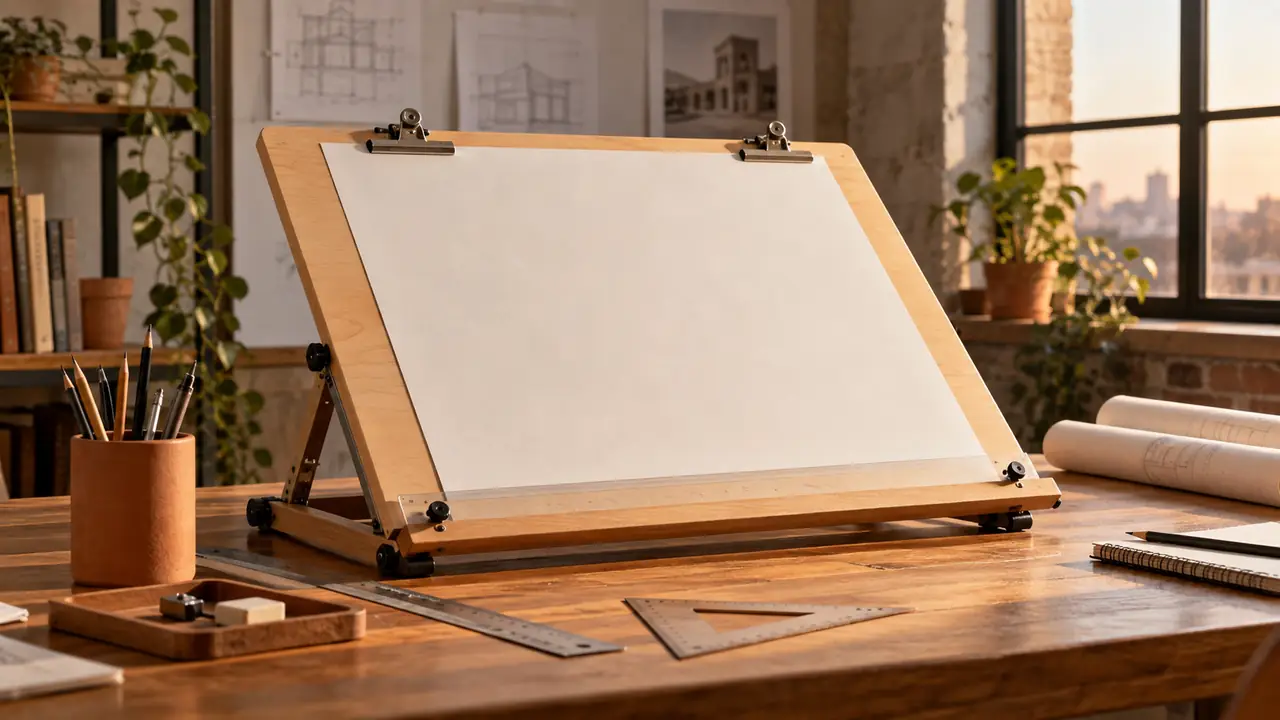
When a sheet of paper keeps sliding, curling, or picking up the texture of a kitchen table, technical drawing quickly becomes frustrating. A drafting board provides a firm, flat surface for drawing, measuring, sketching, and laying out plans. In simple terms, a drafting board is a rigid work surface designed to support accurate manual drawing.
Some drafting boards are portable panels that sit on a desk, while others are built into adjustable drafting tables. The board itself is the working surface. The table is the larger piece of furniture that may support it, tilt it, and provide storage or height adjustment. That distinction is useful when comparing drafting equipment, because the same board may be used on a tabletop, an easel, or a dedicated drafting table.
What a Drafting Board Is Used For
A drafting board gives the paper a stable reference plane. That sounds basic, but stability matters when a pencil point traces a long line or a technical pen pauses against a ruler. A soft desk surface can flex, while a crowded tabletop may leave too little room for a triangle, scale, eraser, and reference notes.
Students may use a board for drawing exercises, geometry, lettering, floor plans, or model-making layouts. An architect sketching a quick room arrangement might work with a pencil and tracing paper, while an engineering student could use a straightedge and scale to construct a measured drawing. The board does not create accuracy by itself, but it gives the tools a dependable surface on which accuracy is possible.
Typical uses include:
- Technical drawing and manual drafting
- Architectural plans and elevations
- Engineering layouts and diagrams
- Perspective drawing and illustration
- Lettering practice
- Pattern drafting and craft layouts
- Sketching with tracing paper or overlays
- Cutting and arranging paper when the surface is designed for that purpose
A drawing board is not automatically a cutting board. Unless the manufacturer identifies the surface as suitable for cutting, a knife can scar the finish, damage the edge, or leave a groove that later catches a pencil or ruler.
How a Drafting Board Differs From a Drafting Table
The terms are sometimes used interchangeably, especially in product descriptions, but they refer to different parts of a drafting workspace.
| Term | What It Usually Means | Typical Features |
|---|---|---|
| Drafting board | A rigid drawing surface | Flat panel, smooth face, edge, clips, or attached drawing hardware |
| Drafting table | Furniture that supports a drafting surface | Legs, tilt adjustment, height adjustment, storage, or a built-in board |
| Drawing board | A broad term for a surface used for drawing | May refer to a portable board, drafting board, or specialized illustration surface |
Imagine two people working in different spaces. One carries a lightweight board to a library and rests it on a desk. The other sits at a dedicated table with a large surface that tilts upward. Both may say they are using a drafting board, even though one is a portable panel and the other is part of a complete workstation.
Terminology also varies by manufacturer and region. Before evaluating a board, check whether the listed dimensions describe the entire panel, the usable drawing area, or the table’s overall footprint. Those measurements are not interchangeable.
Main Parts of a Drafting Board
Working Surface
The working surface is the broad, flat face that supports the paper. It may be made from wood, composite material, plastic, or another rigid construction. Surface texture varies. A very slick finish may let paper shift, while a rough surface can affect pencil movement and leave impressions through thinner paper.
For ordinary manual drafting, the important qualities are flatness, rigidity, a reasonably smooth face, and enough room for the intended sheet. A student laying out an A3 drawing needs a different amount of working space from someone producing large architectural sheets, particularly when rulers and triangles must remain beside the paper.
Edges and Reference Lines
Many boards have a straight reference edge along one side. This edge helps position a T-square or align paper. It needs to remain straight and free of dents. A small chip may seem harmless until a T-square rocks against it and produces a faint but persistent angle in every horizontal line.
Some boards include a parallel rule or drafting machine. A parallel rule moves across the board while remaining parallel to a reference edge. It can guide horizontal lines and help hold paper in a consistent position. Other boards rely on a separate T-square, straightedge, or ruler.
Paper Clips and Holding Hardware
Clips, corner retainers, tape, or a combination of these features keep the sheet from wandering. Built-in clips are convenient for repeated work, while removable tape can be useful when the paper must remain completely unobstructed around the edges.
Holding hardware should not press so hard that it dents the paper. It should also sit outside the main drawing area whenever possible. Someone lettering a title block near the lower edge may discover that a poorly positioned clip is exactly where the ruler needs to rest, turning a simple layout into a fussy little battle.
Common Types of Drafting Boards
Portable Drafting Boards
A portable drafting board is a separate panel that can be placed on a desk or table. It suits students, hobbyists, and anyone who needs to pack away a drawing surface after work. Some are small enough for sketching, while others support larger sheets and require a dedicated storage location.
Portability brings trade-offs. A board that is easy to carry may have less working area or fewer built-in features. A large panel can support a broad sheet comfortably, but transporting it through a narrow studio doorway or storing it beside a bed is another matter.
Tabletop Boards With Adjustable Angles
Some boards sit on a desk and raise the drawing surface to a chosen angle. Tilting the board changes the relationship between the eyes, hand, paper, and drafting tools. It may also make the lower part of a large sheet easier to see without leaning over a flat tabletop.
The useful angle depends on the task, the user’s position, and the equipment being used. A shallow angle may suit detailed work, while a steeper position may be comfortable for sketching. There is no single angle that applies to every drawing activity.
Boards Built Into Drafting Tables
In a drafting table, the board forms the top of a larger workstation. The table may include legs, a tilt mechanism, drawers, a footrest, or an adjustable height system. This arrangement is more stable than a loose panel, but it also takes more floor space and usually stays in one location.
A dedicated table can be useful when large drawings remain open for several days. Instead of clearing rulers and tracing paper from the dining table each evening, the work stays in place. In a small apartment, however, a portable board may be more practical because it can be stored vertically when the drawing session ends.
Choosing the Working Size
The board should be larger than the paper in the directions that matter for your workflow. The paper must fit without hanging over an edge, and there should be enough surrounding space for alignment, clips, and drafting tools. A board that technically accepts a sheet but leaves no room for a T-square is a cramped fit, not a comfortable working setup.
ISO A-series paper sizes provide a useful reference:
| Paper Size | Dimensions |
|---|---|
| A0 | 841 × 1189 mm |
| A1 | 594 × 841 mm |
| A2 | 420 × 594 mm |
| A3 | 297 × 420 mm |
| A4 | 210 × 297 mm |
These are paper dimensions, not recommended board dimensions. If an A2 sheet is 420 by 594 millimeters, the board still needs additional usable area for margins, fastening, and tools. The amount of clearance depends on whether the sheet is portrait or landscape, whether a parallel rule is attached, and how much of the drawing must remain visible at once.
Using a Drafting Board for Manual Drawing
Good results begin with a stable setup rather than a complicated technique. Place the board so its reference edge is accessible, secure the paper without covering important marks, and check that the drawing surface does not rock. A quick check with a straightedge can reveal a raised edge or debris before it disrupts a carefully measured line.
- Clean the board and remove pencil crumbs, grit, and loose tape.
- Position the paper with the intended drawing orientation in mind.
- Align one edge of the paper with the board’s reference edge or parallel rule.
- Secure the paper with clips or drafting tape that will not damage the sheet.
- Use a T-square, straightedge, or parallel rule for the primary alignment.
- Use triangles, scales, compasses, and other tools against the established references.
- Check that lines remain aligned before adding detailed dimensions or lettering.
A T-square is commonly used against the board’s straight edge to guide horizontal lines. A triangle placed against the T-square can then guide vertical or angled lines. If the reference edge is not straight, or if the T-square is not held firmly against it, the error may repeat across the whole drawing like a tiny mechanical echo.
Drafting Boards in Manual and Digital Workflows
CAD has reduced the need for manual boards in many production workflows, but a drafting board still has practical uses. Hand sketching can support early idea development, classroom exercises, field notes, and situations where a computer is inconvenient. A designer may sketch a rough plan on paper before creating a precise digital version, while a student may be required to demonstrate construction methods manually.
The board does not compete directly with CAD in every situation. Digital tools offer convenient editing, duplication, and file management, whereas a board provides a tactile surface for paper, pencil, ink, and physical measuring tools. The appropriate method depends on the assignment, required output, available equipment, and the value of making the drawing by hand.
Workspace and Ergonomic Considerations
A board’s position affects reach and visibility. If it is too low, the user may lean forward to see the far edge. If it is too high or steep, the hand may work at an awkward angle. Seat height, board angle, paper size, and the location of tools all interact, so adjustments should be made for the actual person and task rather than copied from a fixed rule.
Keep frequently used tools within easy reach, leave enough room for the forearm, and change position during long sessions. A footrest or foot ring can provide support when the work surface is elevated, but it does not replace proper adjustment. If drawing causes persistent pain or numbness, stop and seek appropriate professional guidance rather than treating the board as a medical solution.
Cleaning, Storage, and Care
Dust and graphite can create a gritty film on the surface. Remove loose debris with a soft, dry cloth or another method allowed by the manufacturer. Avoid aggressive solvents, abrasive pads, and excess moisture unless the care instructions specifically permit them, since finishes, laminates, plastics, adhesives, and printed markings can react differently.
Store a portable board flat when its construction makes it vulnerable to warping, or vertically when the manufacturer permits that position and the board is securely supported. Do not lean a large panel where it can slide onto a corner. Keep clips, rulers, and triangles from rubbing against the drawing face, especially when the board is transported between home and studio.
Frequently Asked Questions
Is a drafting board the same as a drawing board?
The terms often overlap. “Drawing board” is a broad expression for a surface used for drawing, while “drafting board” usually suggests a rigid surface intended for measured or technical drawing. Actual terminology varies by manufacturer and region.
Can a drafting board be used on a regular desk?
Yes, if the desk is large enough, stable, and able to support the board securely. Check that the board does not slide and that the desk leaves sufficient room for the paper and drafting tools.
Does a drafting board need to tilt?
No. A flat board can support accurate drawing. Tilting may improve viewing or comfort for some tasks, but the useful position depends on the drawing method, paper size, chair, and user.
What is the difference between a drafting board and a cutting mat?
A drafting board is primarily a firm drawing surface. A cutting mat is designed to receive knife cuts and protect the underlying table. Some workspaces use both, but one should not automatically be substituted for the other.
The Practical Meaning of a Drafting Board
A drafting board is more than a flat panel. It is a stable reference surface that helps paper, rulers, scales, and drawing tools work together with fewer unwanted movements. Whether it is a portable board on a desk or the top of an adjustable drafting table, its usefulness depends on a flat face, suitable working area, dependable alignment, and a setup that fits the task.
Choose the board size from the paper and equipment you actually use, protect the reference edges, and treat the surface according to its materials. With those basics in place, even a simple board can turn a loose sheet of paper into a controlled, workable drafting station.
