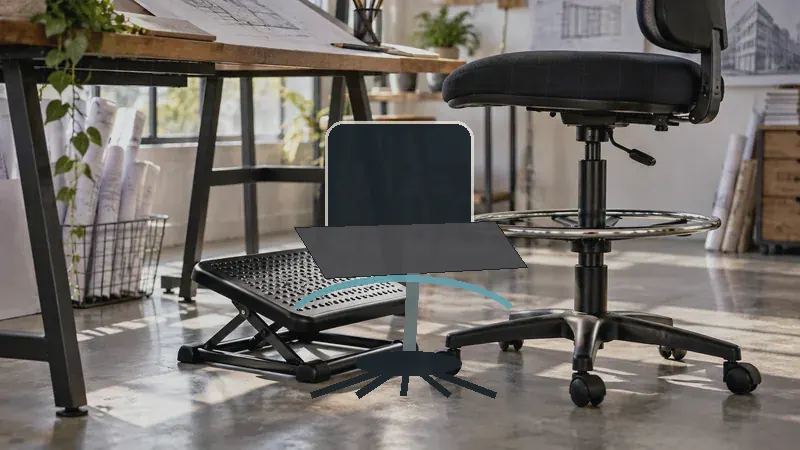
A chair that sits several inches above a standard desk can feel wonderfully freeing until your lower back starts complaining by midafternoon. Drafting chairs place your body at a taller work height, often beside a standing desk or elevated drawing surface, so the seat, foot ring, lumbar support, and casters all need to work together. A chair with a thick cushion may still feel wrong if your feet dangle, while an adjustable foot ring can help your legs feel less tense during a long drawing session.
Shoppers often focus on the seat-height range and overlook the backrest position, arm clearance, or the distance between the chair and work surface. Back pain also varies from person to person, so one buyer may need a supportive high back, another may prefer an armless design that moves closer to the desk, and someone else may place more value on a wide seat and heavy-duty frame. Among the options below, the Primy Drafting Chair stands out as the strongest overall balance of adjustable lumbar support, breathable cushioning, flip-up arms, and elevated-work compatibility.
For a quick scan, the table below shows how the nine selected chairs differ in support, height adjustment, arm design, and intended use.
Best Drafting Chairs for Back Pain Comparison Table
| Product | Best For | Seat Height | Back Support | Arms |
|---|---|---|---|---|
| Primy Drafting Chair | Overall comfort and lumbar adjustment | Adjustable drafting height | Curved back with adjustable lumbar support | 90-degree flip-up |
| Synorla Ergonomic Tall Drafting Chair | Customizable drafting setups | Up to 9-inch adjustment | Adjustable lumbar support | Flip-up |
| BOLISS Big and Tall Drafting Chair | Heavier-duty support and cushioning | Adjustable | High back with integrated lumbar support | 90-degree flip-up |
| AtHope Drafting Chair | Maximum upper-body adjustability | 22.8 to 30.7 inches | 3D lumbar and head support | 90-degree flip-up |
| 400-Lb Heavy-Duty Drafting Chair | Wide seat and higher weight capacity | 22.05 to 29.33 inches | Adjustable lumbar pad | 90-degree flip-up |
| BOLISS 400-Lb Mid-Back Chair | Wide seating and leg support | 23.6 to 31.5 inches | Mid-back design | Fixed arm design listed |
| Armless Ergonomic Drafting Chair | Small workspaces and close desk access | Adjustable | High back with body-contoured design | None |
| SONGMICS Drafting Chair | Budget-conscious buyers | 7.9-inch adjustment range | Curved back with adjustable pad | 90-degree flip-up |
| Tall Desk Rolling Stool | Simple, easy-clean work seating | Adjustable | Curved detachable backrest | None listed |
The detailed reviews explain where each chair fits, where its design has limits, and which type of workspace may benefit most.
1. Primy Drafting Chair Best Overall

The Primy Drafting Chair earns the top position because its feature mix speaks directly to the awkward pressure points of elevated work. The curved back includes adjustable lumbar support, while the three-inch seat cushion and waterfall-style front edge are intended to make long seated periods easier on the lower back and legs. That combination is useful for someone moving between technical drawing, computer work, and a standing desk, where a fixed-height stool can quickly feel restrictive.
Its flip-up armrests are handy in a cramped studio. Keep them down for a little upper-body support, then fold them up when you need to pull close to a drafting surface or slide the chair beneath a desk. The adjustable foot ring gives your feet a place to rest instead of leaving your legs hanging, and the breathable mesh helps prevent the hot, sticky feeling that often builds during a long afternoon. Buyers seeking a highly cushioned executive chair may prefer a wider high-back model, but this Primy is more adaptable for mixed-height work.
Pros
- Adjustable lumbar support targets lower-back positioning.
- Three-inch cushioned seat supports longer work sessions.
- Adjustable foot ring helps support the legs at drafting height.
- Flip-up armrests improve desk clearance and storage.
- Breathable mesh and rolling casters suit active workspaces.
Cons
- The drafting-height design may be too tall for users with a low conventional desk.
- Its streamlined seat may feel less spacious than the wide-seat options below.
This is the strongest fit for buyers who want lumbar adjustment without giving up arm flexibility or a breathable seat. It may be less appealing to someone who prefers a deeply padded, broad chair or a fixed, heavily upholstered back. Check the work surface height before ordering, then use the foot ring to keep your knees and feet supported rather than letting the chair height dictate your posture.
To buy this product, click here.
2. Synorla Ergonomic Tall Drafting Chair Best for Adjustability

Synorla takes a highly configurable approach to tall seating. The listing specifies up to nine inches of seat-height adjustment, a repositionable footrest, flip-up arms, and adjustable lumbar support. That matters in a shared studio where one person may work at a drafting table while another uses a standard-height desk. Rather than forcing every task into one posture, the chair gives buyers more room to fine-tune the seat and lower-back contact.
The three-inch high-density foam cushion pairs with a breathable mesh or fabric back, creating a practical middle ground between a soft office chair and an open drafting stool. The metal frame, pentagon base, and PU casters are aimed at stability and smooth movement, while the flip-up arms let the chair approach the work surface more closely. A designer switching from a monitor to a large sheet of paper may appreciate that flexibility, although buyers who want head support will need to look elsewhere.
Pros
- Seat height adjusts through a broad drafting-oriented range.
- Adjustable lumbar support allows more precise lower-back positioning.
- Repositionable footrest supports different leg lengths and desk heights.
- Three-inch cushion and breathable back suit extended sessions.
- Flip-up arms help with clearance around a drafting surface.
Cons
- It does not list an adjustable headrest for upper-back or neck support.
- More adjustment points may require extra setup time to find a comfortable position.
Synorla is a sensible choice for a flexible workstation where the chair has to serve several surfaces. It is especially useful for users who know that a small change in seat height or lumbar position can alter how their back feels. A simpler stool may be easier for occasional use, but this model gives frequent drafters more control over the details that matter during long sessions.
To buy this product, click here.
3. BOLISS Big and Tall Drafting Chair Best for Heavy-Duty Support

The BOLISS Big and Tall model is built around a reinforced frame, a Class 4 gas lift, and a listed 400-pound capacity. Those specifications make it a strong candidate for buyers who want a more substantial drafting chair rather than a narrow stool with a small seat. Its double-layer cushion is particularly relevant for someone who feels pressure around the tailbone after hours of drawing, computer work, or painting at an elevated surface.
The high back and integrated lumbar support give the chair a fuller support profile than the mid-back options in this roundup. Flip-up padded arms leave room for closer desk access, and the adjustable metal foot ring provides a resting point for the legs. The trade-off is bulk. In a small bedroom studio, a big-and-tall chair can dominate the floor and may be harder to tuck away, but that extra presence can feel reassuring for users who need a wider, more heavily built seat.
Pros
- Listed 400-pound capacity suits buyers seeking a heavy-duty frame.
- Double-layer cushion addresses tailbone and seat-pressure concerns.
- High back and integrated lumbar support cover more of the torso.
- Adjustable foot ring helps support the legs at elevated desks.
- Flip-up padded arms preserve close access to the work surface.
Cons
- The larger design may consume more room than compact drafting chairs.
- Its more substantial construction may feel excessive for occasional, light-duty use.
This BOLISS is better suited to buyers who prioritize seat width, load capacity, and cushioning over a minimal footprint. It deserves a close look if a lightweight chair leaves you feeling perched or unsupported, while a small-space user may find the armless model easier to manage. Match the seat height to the desk first, then adjust the foot ring so the chair supports your legs instead of pulling them forward.
To buy this product, click here.
4. AtHope Drafting Chair Best for Head and Lumbar Support
AtHope stands apart with 3D lumbar and head support, giving buyers more upper-body adjustment than most drafting chairs here. The lumbar component moves up and down, forward and backward, and rotates, while the headrest has its own height, depth, and angle adjustments. For someone who alternates between looking down at plans and looking straight ahead at a monitor, that range can make the chair easier to tailor to different tasks.
The listed seat-height range runs from 22.8 to 30.7 inches, which places it comfortably in drafting-chair territory while retaining compatibility with some regular desks. A foot ring, flip-up arms, mesh fabric, high-density foam, and silent casters round out the design. Picture a home studio where a user shifts from a high worktop to a computer screen, then hangs a jacket from the built-in rear hanger. The chair is feature-rich, though buyers who prefer a visually simple stool may find the headrest and adjustment hardware more than they need.
Pros
- 3D lumbar support offers height, depth, and rotational adjustment.
- 3D headrest provides several neck-support adjustments.
- 22.8 to 30.7-inch seat-height range suits varied work surfaces.
- Flip-up arms and adjustable foot ring improve workspace flexibility.
- Mesh upholstery and silent casters support cooler, mobile use.
Cons
- The headrest can be unnecessary for buyers who lean forward over drawings.
- Its many adjustable parts may make the chair feel less visually streamlined.
AtHope is the natural choice for buyers who feel discomfort in the neck and upper back as well as the lower back. It also makes sense for a workstation shared between drafting and monitor-based work. Users who need only basic lumbar support can spend less on a simpler design, but the extra adjustability is meaningful for people who regularly change viewing angles and work heights.
To buy this product, click here.
5. 400-Lb Heavy-Duty Drafting Chair Best for a Wide Seat

This wide drafting chair combines a listed 400-pound capacity with a 3.15-inch seat cushion, an adjustable lumbar pad, and a breathable mesh back. That profile is appealing for buyers who want more room around the hips and thighs without moving into an office chair that cannot reach a tall work surface. The S-shaped backrest and height-adjustable lumbar pad give the chair a clear lower-back focus, while the smooth PU surface is easier to wipe clean after a busy studio day.
Its seat height adjusts from 22.05 to 29.33 inches, and the footrest moves through a 4.92-inch range. Those numbers make the chair easier to match with different drafting tables, standing desks, and workbenches. The 90-degree flip-up arms are useful in a tight room, especially when the chair needs to slide under a desk. Buyers seeking fabric throughout may dislike the PU seat surface, but anyone who values cleanup and a broad cushion may find that trade-off worthwhile.
Pros
- Listed 400-pound capacity supports a heavy-duty use case.
- Wide seat and 3.15-inch cushion provide more sitting room.
- Adjustable lumbar pad can be positioned for lower-back support.
- Seat and footrest ranges suit multiple elevated work surfaces.
- Flip-up arms and wipe-clean seat aid compact, busy workspaces.
Cons
- PU upholstery may feel warmer than a fully fabric-covered seat.
- The wider chair may need more clearance around the desk.
This model fits buyers who want a broad, supportive seat with substantial capacity and a practical cleanup surface. It may be less attractive to someone who prefers a lighter mesh seat or a chair with head support. Before choosing it, measure the available space beneath and beside the desk, since the comfort benefits depend on having enough room to sit squarely at the work surface.
To buy this product, click here.
6. BOLISS 400-Lb Mid-Back Mesh Drafting Chair Best for Legroom

The BOLISS mid-back chair takes a different route to comfort. Rather than using a tall back and headrest, it offers a wide seat, molded foam cushioning, and a large 24.016-inch foot ring. That oversized ring is a useful detail for users who dislike having their feet squeezed onto a narrow support, especially during long periods at a tall drafting surface. The listed 23.6 to 31.5-inch seat-height range also reaches higher than several options in this roundup.
A mid-back design can feel less enclosing than a high-back chair, which may suit buyers who shift, rotate, or reach across a broad drawing surface. The wide seat and 18.9-inch seat depth create a roomier sitting area, while the listed 400-pound capacity supports a heavy-duty use case. The compromise is clear: shoppers who need shoulder, neck, or upper-back support may prefer the BOLISS high-back model or AtHope’s adjustable headrest.
Pros
- Wide seat provides more room for changing seated positions.
- Large 24.016-inch foot ring gives the legs generous support space.
- 23.6 to 31.5-inch seat-height range suits tall work surfaces.
- Molded foam cushion is intended to distribute sitting pressure.
- Listed 400-pound capacity supports a heavy-duty buyer profile.
Cons
- Mid-back coverage offers less upper-body support than a high-back chair.
- The tall seat range may be excessive for standard desk users.
Choose this BOLISS when leg positioning and seat room matter more than a headrest or full upper-back shell. It can work well for a large drafting station where the user needs to turn between tools, papers, and a computer. Someone who tends to lean back while reading may prefer a high-back design, but buyers who stay active at the desk may appreciate the open mid-back feel.
To buy this product, click here.
7. Armless Ergonomic Drafting Chair Best for Small Spaces

An armless chair solves a very specific problem: the desk is close, the room is tight, and armrests keep bumping into the work surface. This model lets the user move nearer to the desk, then slide the chair beneath it when the work is finished. Its high back follows a body-contoured shape, while the breathable mesh, sponge cushion, adjustable foot ring, and 360-degree swivel create a straightforward setup for a compact home office or studio.
The lack of arms is helpful for reaching across plans or moving between a keyboard and drawing tools, but it also means there is no place to rest the elbows during monitor work. The FSC-certified wood seat board and nylon wheels are listed as part of the construction, and the chair includes seat-tension adjustment alongside its height adjustment. Imagine a small apartment corner where every inch matters. This design keeps the footprint visually lighter than many padded drafting chairs, though it gives up some of the upper-body support found in arm-equipped models.
Pros
- Armless design allows close access to the work surface.
- High back provides more coverage than a basic drafting stool.
- Adjustable foot ring supports the legs at elevated seating heights.
- Breathable mesh and sponge cushioning suit longer work periods.
- Seat tension adjustment and casters add everyday flexibility.
Cons
- No armrests are available for elbow support during computer work.
- The feature set is less configurable than chairs with adjustable lumbar mechanisms.
This is the practical pick for a small room, narrow desk, or drafting station that demands close approach. It may also suit artists who need unrestricted arm movement across a large sheet. Buyers whose back discomfort improves with adjustable lumbar pressure should look toward Primy, Synorla, or AtHope, while those who value clearance and easy storage will find the armless format refreshingly simple.
To buy this product, click here.
8. SONGMICS Drafting Chair Best Budget Option

SONGMICS brings together several useful drafting features in a more approachable package. The chair has a curved back, height-adjustable sponge lumbar pad, 3.5-inch cushion, breathable mesh, flip-up arms, and an adjustable circular foot ring. Its listed 7.9-inch height-adjustment range should work for many standing desks and elevated worktops, while the 330-pound capacity gives it a broader use case than a lightweight stool.
The waterfall seat edge is intended to reduce pressure behind the legs, a small detail that can become surprisingly noticeable when the chair is several inches higher than a typical office seat. The five-star metal base and silent casters support movement, and the listing describes assembly as a relatively quick task with an illustrated manual. A student working at a compact drafting table may appreciate the combination of price-conscious design and flip-up arms, though the chair has fewer advanced adjustments than the premium-feeling models above.
Pros
- Height-adjustable lumbar pad provides targeted lower-back positioning.
- Thick 3.5-inch cushion supports extended seated work.
- Adjustable foot ring and waterfall edge address leg pressure.
- Flip-up arms help the chair fit beneath or close to a desk.
- Listed 330-pound capacity and metal base suit regular home-office use.
Cons
- It offers fewer upper-body adjustments than AtHope or Synorla.
- The height range may not suit especially tall drafting surfaces.
SONGMICS is a reasonable starting point for a student, occasional drafter, or home-office buyer who wants lumbar adjustment without moving into a premium price tier. It may be worth skipping if your work surface is unusually tall or you need head and neck support. For a standard standing desk setup with a foot ring and a modest room footprint, its feature balance is hard to ignore.
To buy this product, click here.
9. Tall Desk Rolling Stool Best Simple Design

This rolling stool keeps the design simple while retaining several features that matter for elevated work. The curved backrest provides basic back support, the footrest ring adjusts with the seat, and the 360-degree swivel allows the user to turn between a workbench, drafting surface, and nearby tools. Its high-density memory foam cushion and waterproof faux-leather surface are practical for a garage, studio, salon, or workspace where spills and dust are part of daily life.
The detachable backrest gives the stool two seating configurations, which can be useful for tasks that require more movement. A widened five-star metal base, listed 300-pound capacity, and dual-wheel casters create a sturdy foundation for routine work. The design does not list adjustable lumbar support, so buyers with specific lower-back needs may prefer one of the more configurable mesh chairs. Still, someone wanting a cleanable, uncomplicated seat for short drafting sessions may enjoy its fuss-free character.
Pros
- Detachable backrest allows more than one seating arrangement.
- Adjustable footrest ring supports legs at elevated work surfaces.
- Memory foam cushion provides a padded sitting surface.
- Waterproof faux leather is easy to wipe clean.
- Widened five-star base and dual-wheel casters support mobile use.
Cons
- No adjustable lumbar mechanism is listed.
- Faux-leather upholstery may feel warmer than breathable mesh.
This stool is best for buyers who value easy maintenance and uncomplicated operation over maximum ergonomic tuning. It can make sense in a multipurpose workshop or studio where the chair may encounter paint, dust, or food. Someone sitting for a full workday with persistent back discomfort should prioritize adjustable lumbar support and a carefully matched seat height, but occasional users may appreciate the simpler format.
To buy this product, click here.
How to Choose a Drafting Chair for Back Pain
Match the Seat Height to the Work Surface
Start with the height of the drafting table, counter, or standing desk, then check whether the chair can position you close enough to work without lifting your shoulders. A tall seat is useful only when your elbows can rest naturally near the work surface. The listed ranges vary considerably, from chairs with a 7.9-inch adjustment span to models reaching above 30 inches, so measure before shopping rather than relying on the word “tall.”
Use the Foot Ring to Support Your Legs
A foot ring is more than a decorative circle beneath the seat. At drafting height, your feet may not reach the floor comfortably, and unsupported legs can leave pressure behind the thighs. The Primy, Synorla, AtHope, and other chairs here use adjustable rings so buyers can move their feet into a supported position. Set the ring so your knees remain comfortable and your legs are not forced into a dangling or sharply bent posture.
Prioritize Adjustable Lumbar Support
A curved backrest may feel supportive, but a movable lumbar pad gives you more control over where the chair contacts your lower back. Primy, Synorla, AtHope, SONGMICS, and the 400-pound wide-seat chair list adjustable lumbar features. This does not guarantee relief for every person, and persistent pain deserves medical guidance, but the ability to shift support up, down, forward, or backward can make a chair easier to personalize.
Decide Whether You Need Arms
Armrests can reduce shoulder fatigue during computer work, yet they can also block close access to a drafting surface. Flip-up arms offer a useful compromise because they can support the elbows during monitor work and move out of the way for drawing. An armless chair is especially practical in a narrow room or for broad arm movements across paper, while a high-back model with padded arms may feel more settled during reading and keyboard tasks.
Look at Seat Width and Cushioning
A narrow seat can feel restrictive, while an overly deep cushion may make it harder to sit with your lower back against the backrest. Wide-seat models such as the BOLISS options provide more room, and the big-and-tall chair adds a double-layer cushion for buyers who dislike firm pressure beneath the tailbone. Mesh backs can improve airflow, while faux leather is easier to wipe clean. Choose the material that suits your room and work habits, not the one that sounds most luxurious.
Check Clearance and Movement
Drafting chairs need enough room for their bases, casters, foot rings, and armrests. Measure the space beneath the desk, especially if you plan to tuck the chair away after work. A chair that rolls smoothly can help you move between tools, but excessive movement may be annoying on a sloped floor or around delicate equipment. Casters, swivel action, and a stable five-star base should support the way you actually work.
Best Drafting Chairs for Back Pain FAQ
Are Drafting Chairs Helpful for Back Pain?
They can be helpful when the chair fits the work surface and supports a comfortable seated posture. Adjustable height, lumbar support, and a foot ring are particularly relevant because drafting chairs are used higher off the floor than ordinary office chairs. A chair cannot diagnose or treat back pain, so persistent or severe symptoms should be discussed with a qualified healthcare provider.
What Seat Height Should a Drafting Chair Have?
The correct seat height depends on the drafting table or desk. Your arms should reach the work surface without raised shoulders, and your feet should rest on the floor or foot ring. Measure the distance from the floor to the underside or top working area of the desk, then compare that measurement with the chair’s listed adjustment range.
Is a Foot Ring Important on a Drafting Chair?
A foot ring is useful for many drafting setups because the elevated seat can leave your feet unsupported. It gives your legs a place to rest and lets you shift position during a long session. An adjustable ring is more useful than a fixed ring when the chair will serve multiple work surfaces or users.
Should I Choose a High-Back or Mid-Back Drafting Chair?
A high-back chair covers more of the torso and may suit buyers who want upper-back support while reading or using a monitor. A mid-back design can feel more open and may work well for users who turn frequently across a large drawing surface. The BOLISS mid-back model emphasizes seat width and a large foot ring, while the high-back options provide more coverage.
Are Armless Drafting Chairs Better for Small Desks?
They can be. Without armrests hitting the desk edge, an armless chair can move closer to the work surface and slide beneath it more easily. The trade-off is reduced elbow support, which may matter during keyboard work. Buyers who alternate between drafting and computer tasks may prefer flip-up arms instead.
Do Mesh Drafting Chairs Help Keep You Comfortable?
Mesh can allow more airflow across the back than solid upholstery, which may feel better in warm rooms or during long sessions. It does not automatically provide better lumbar support, so examine the backrest shape and adjustment features too. A breathable back paired with a well-positioned lumbar pad is usually more useful than mesh alone.
How Do I Set Up a Drafting Chair for Better Posture?
Adjust the seat so your shoulders stay relaxed while your hands reach the work surface. Position the lumbar support against the natural curve of your lower back, then set the foot ring so your legs feel supported. Keep the chair close enough that you do not lean forward repeatedly, and change position during long work periods rather than staying rigid.
Final Verdict
The Primy Drafting Chair is the strongest overall recommendation in this roundup because it combines adjustable lumbar support, a cushioned seat, breathable mesh, flip-up arms, and an adjustable foot ring in a format suited to drafting tables and standing desks. Synorla is a compelling alternative for buyers who want more seat-height and footrest flexibility, while AtHope earns attention from anyone who needs adjustable head and lumbar support. These chairs serve different bodies and work habits, so the top position should be treated as a useful starting point rather than a universal answer.
For heavier-duty seating, the BOLISS Big and Tall chair and the 400-pound wide-seat model bring more capacity and cushioning. SONGMICS offers a practical budget route, while the armless chair and Tall Desk Rolling Stool make more sense in compact or easy-clean workspaces. Before ordering, measure your desk, confirm the chair’s height range, and plan where your feet will rest. A well-matched seat can make a drafting station feel calmer and less tiring, while the wrong height can leave even a heavily padded chair working against you.
