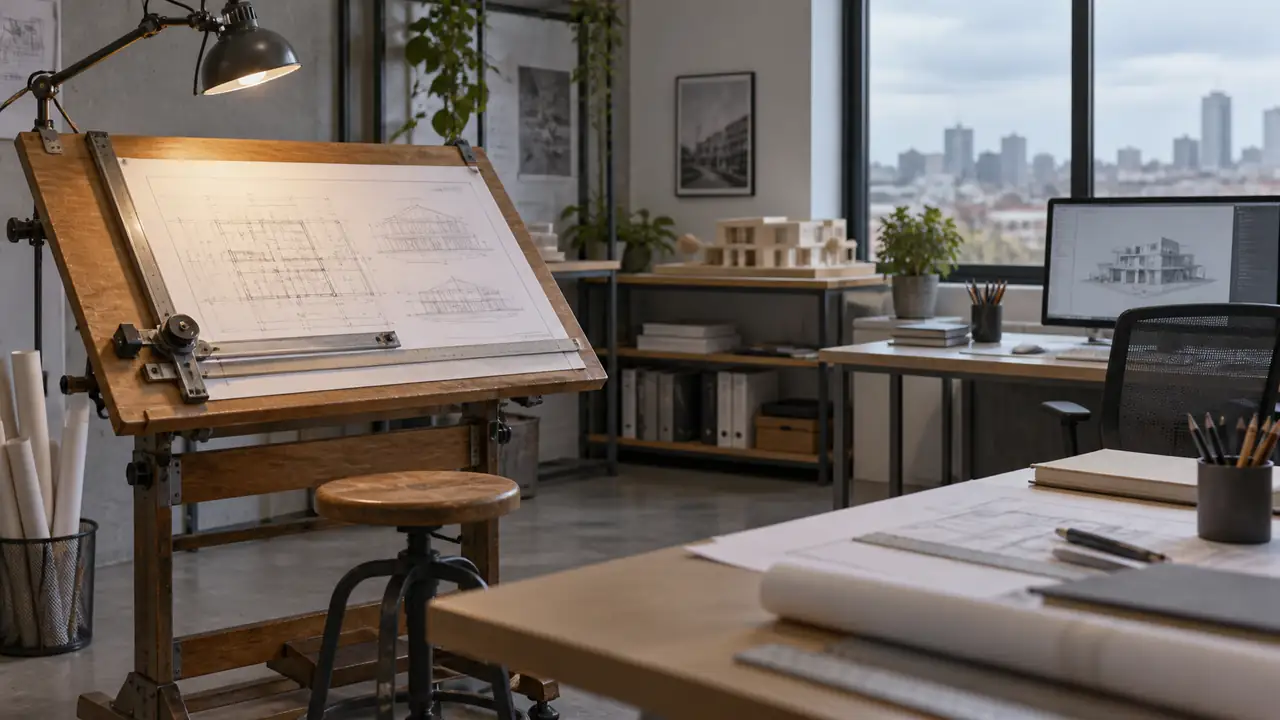
Walk into a contemporary architecture office and you are more likely to see large monitors, digital drawing tablets, and shared project screens than rows of tilted drafting tables. Yet a drafting table has not vanished. It still appears in architecture schools, home studios, design offices, model-making areas, preservation work, and anywhere a person wants a stable, angled surface for drawing by hand.
So, do architects still use drafting tables? Yes, but usually for specific tasks rather than as the main production station. Computer-aided design (CAD) and building information modeling (BIM) dominate many professional workflows because digital files are quick to revise, coordinate, store, and share. A manual drafting table remains useful for sketching, studying proportions, developing ideas, preparing presentation drawings, and practicing technical drawing.
Why Drafting Tables Became Less Common In Professional Offices
Traditional architectural drafting involved a drawing board, T-square or parallel rule, triangles, mechanical pencils, technical pens, scales, erasers, and carefully managed layers of paper. An architect might spend hours constructing a floor plan with line weights and measured geometry, then make revisions by scraping ink, applying correction materials, or redrawing affected areas.
Digital drafting changed that rhythm. A CAD file can be copied, edited, measured, duplicated, and sent to consultants without moving a sheet of paper. BIM software can also connect model elements with information about walls, doors, materials, and building systems. When a project has many revisions or several people working on related documents, those capabilities are difficult for manual drafting to match.
Consider a project team revising a stair location after a structural review. In a digital model, the change can be coordinated across related views and drawings. On paper, the same revision might require several sheets to be altered or redrawn. That efficiency is a major reason drafting tables are no longer the standard production workstation in many offices.
This does not mean hand drafting has no professional value. An architect may still reach for a pen during an early design conversation, draw over a printed plan during a site meeting, or use a drafting table to prepare a carefully composed illustration. Digital production and manual drawing often serve different moments in the same project.
Where Architects Still Use Drafting Tables
Concept Sketching And Design Development
An angled work surface gives hand sketches a comfortable place to live. A designer can spread out trace paper, reference drawings, photographs, and a scale without balancing everything on a small desk. The table does not replace digital tools. It provides a physical space for thinking before a design becomes a precise digital model.
For example, an architect exploring a small house might place a site plan beneath tracing paper and draw several roof forms over it. One sheet can show circulation, another can test daylight, and a third can mark structural ideas. The speed and looseness of those layers are often useful when the design is still unsettled.
Another familiar scenario occurs during a client conversation. Someone asks whether a kitchen could open toward a garden, and a quick hand sketch can show the relationship immediately. It may be rough, incomplete, and full of arrows, but that roughness can invite discussion in a way that a finished rendering sometimes does not.
Architecture Schools And Student Studios
Many architecture students encounter manual drafting even when their later professional work will be largely digital. Coursework may include technical drawing, perspective, descriptive geometry, freehand sketching, construction documentation, or architectural representation. The exact requirements vary by institution, instructor, year of study, and assignment, so students should check their studio guidance before buying large equipment.
A drafting table can be helpful when a student is working on a large sheet and needs a stable surface for a parallel rule or drawing triangle. It also provides room for tools that tend to crowd a flat desk. A student preparing a presentation board may move between hand lettering, diagramming, cutting, and digital printing, which makes a flexible workspace especially valuable.
Space is the catch. A first-year student living in a small apartment may have room for only a portable drawing board that sits on a regular desk. Another student in a dedicated studio may use a full-size adjustable table. Both setups can support manual drafting if the surface is stable, large enough for the assignment, and arranged so the student can reach the drawing without leaning across piles of supplies.
Presentation Drawings, Illustrations, And Renderings
Some architects and architectural illustrators continue to use drafting tables for hand-rendered perspectives, ink drawings, watercolor work, and mixed-media presentation pieces. The table angle can be adjusted to suit the medium and viewing position, although the appropriate setup depends on the paper, tools, and task.
A hand-drawn perspective may begin with light construction lines, move through ink or pencil detail, and finish with markers or watercolor. That sequence benefits from a surface that holds the sheet securely and leaves space for rulers, brushes, and reference material. Meanwhile, another designer may create the base geometry digitally and use the drafting table only for the expressive final layer.
Historic Preservation And Specialized Drawing
Measured drawings of existing buildings, restoration details, maps, and archival reproductions may still be prepared or reviewed manually. A drafting table is useful when the work involves large documents, transparent overlays, delicate originals, or repeated visual comparison between sheets.
Imagine studying an old building with a printed elevation, field notes, and photographs spread across the work surface. A tilted table can keep the main drawing visible while tracing paper is placed above it. Digital scanning and editing may still be part of the process, but the physical table supports the close visual inspection that happens before or alongside computer work.
What A Drafting Table Offers That A Regular Desk Does Not
The defining feature is usually the adjustable work surface. Instead of remaining horizontal, the board can be tilted to a chosen angle. This changes how the drawing is viewed and how the hand approaches the paper. A regular desk may work perfectly well for typing or small sketches, but a sloped surface can be more suitable for large-format manual drawing.
| Feature | Practical Purpose |
|---|---|
| Tilting work surface | Supports drawing at an angle suited to the task and the user. |
| Large usable area | Provides room for paper, rulers, tools, and reference material. |
| Edge lip or retainer | Helps keep paper and tools from sliding when the surface is inclined. |
| Parallel rule or drafting machine compatibility | Supports accurate horizontal or guided construction lines when the equipment is designed for it. |
| Height adjustment | Allows the surface to be arranged for seated or, on some designs, standing work. |
The table itself does not create accuracy. A straightedge still needs to be aligned, a scale still needs to be read correctly, and the paper still needs to be secured without distortion. A sturdy board simply gives those tools a dependable foundation.
For someone sketching a small detail, the difference may be minor. For someone drawing a large floor plan with a T-square, triangles, and several overlays, a stable tilted surface can feel far less cramped. The value is primarily workspace and control, not technological superiority.
How Drafting Tables Fit Into A Modern Architecture Workflow
Modern practice is rarely a simple choice between manual drafting and CAD. Many workflows move back and forth between them. A designer might sketch by hand, scan the drawing, trace important geometry in CAD, build a digital model, print a plan, mark revisions by hand, and return those notes to the digital file.
That loop is especially common during early design reviews. A printed plan on a drafting table can be covered with colored pencil marks, arrows, dimensions, and short notes. The physical sheet becomes a conversation surface. Later, the useful information can be incorporated into the project file and distributed to the team.
Digital tools are generally better suited to repetitive revisions, precision editing, coordination, and documentation. Manual tools remain attractive for rapid ideation, physical engagement with the page, and situations where a designer wants to see several alternatives spread out at once. Neither method has to carry the entire workflow.
A small practice might use a drafting table for client sketches and hand-rendered presentations while producing construction documents digitally. A larger firm might have no traditional drafting stations in its main office but still maintain a model shop, materials library, or presentation area with broad work surfaces. The role changes with the office, project type, and individual working habits.
Do Architects Need A Drafting Table?
Most practicing architects do not need a drafting table to produce ordinary digital construction documents. A computer workstation, suitable software, monitor, input devices, and a practical desk may cover the core production work. Professional requirements also vary by employer and role, so a person creating digital models has different equipment needs from someone producing hand-rendered illustrations.
A drafting table may be worthwhile when the work regularly includes:
- Manual technical drawing or lettering.
- Large hand sketches and presentation drawings.
- Tracing-paper overlays and iterative diagramming.
- Model-making, cutting, or material studies.
- Historic drawings, measured surveys, or restoration documentation.
- Architecture-school assignments that specify manual drafting.
- A dedicated home studio for drawing away from a computer screen.
It may be unnecessary when the available space is limited and nearly all work is digital. A student who receives assignments in standard digital formats may get more practical value from a clear desk, reliable storage, and a portable drawing surface than from a large permanent table. Course requirements should settle that question before furniture does.
Manual Drafting Equipment Still Used With The Table
The table is only one part of a manual drafting setup. A straightedge or parallel rule establishes horizontal references, while triangles help create vertical and angled lines. An architectural scale is used for architectural drawing ratios, and a technical pencil or lead holder provides controlled linework. Paper clips, drafting tape, or a built-in retainer can hold the sheet in place.
Tool selection depends on the drawing. A student making a freehand concept sketch may need only paper, pencils, an eraser, and a few markers. Someone preparing a precise plan may also need a scale, triangles, a compass, a circle template, and a method for keeping the paper aligned. Adding every possible tool can turn the work surface into a cluttered tray, so the assignment should guide the setup.
Lighting deserves attention as well. The lamp should illuminate the sheet without creating harsh reflections or placing the hand in deep shadow. A left-handed and right-handed user may position the lamp differently, and the best location changes when the board angle or drawing orientation changes. A bright lamp is not automatically a good lamp if glare makes fine lines difficult to see.
Setting Up A Drafting Table For Architectural Work
Start with the drawing size and the equipment that must share the surface. A sheet should have enough usable clearance for alignment, clips, a straightedge, and hand movement. The advertised overall dimensions of a table may include frames, lips, or side trays, so they do not always equal the unobstructed drawing area.
Next, adjust the board so the drawing is easy to view without forcing the neck or shoulders into a fixed position. The appropriate height and angle depend on body dimensions, whether the user is seated or standing, the size of the sheet, and the type of work. Short sketching sessions may tolerate a less-than-perfect arrangement, while several hours of precise drafting call for more careful adjustment and regular position changes.
Keep frequently used tools within a comfortable reach. A scale placed beyond the upper edge of a large sheet encourages repeated stretching, while loose pencils near the lower edge can roll onto the floor when the board is tilted. A shallow tray, side shelf, or separate tool surface can preserve the drawing area without crowding it.
Finally, check stability before beginning detailed work. A board that rocks, a retainer that does not hold paper, or a parallel rule that shifts during a line can undermine careful drafting. Follow the table manufacturer’s instructions for assembly, adjustment, and maintenance because mechanisms and surface materials differ.
Drafting Tables Are Tools For Particular Tasks, Not Obsolete Furniture
The modern architect may spend most of the day in CAD or BIM software and still value a physical drawing surface. Digital production handles coordination and revision efficiently. A drafting table supports a different kind of activity, from a quick diagram on tracing paper to a finished perspective with carefully controlled lines.
That is why the answer is neither “architects always use drafting tables” nor “architects never use them.” They remain relevant wherever direct work on paper, large-format drawing, visual exploration, or hands-on studio work is part of the process. Before adding one to a workspace, identify the actual tasks, sheet sizes, storage limits, and course or office requirements. The table should support the work that still needs a physical surface, while digital tools handle the work they are designed to do best.
