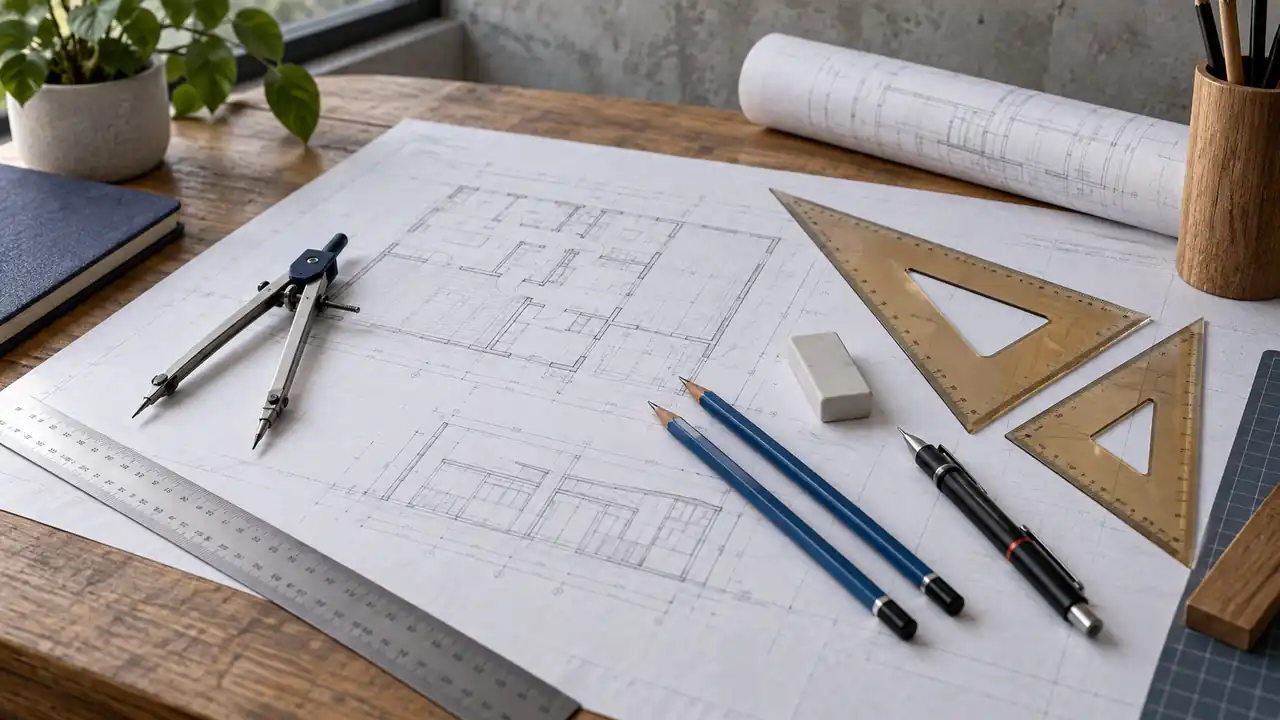
A technical drawing often begins with a quiet collection of simple objects: a pencil resting beside a ruler, a triangle tucked under a sheet of paper, and an eraser covered in fine gray dust. Each tool has a specific job, and the quality of the finished drawing depends less on owning a huge kit than on understanding which tool controls alignment, measurement, proportion, or line quality.
“Drafting tools” is a broad term. It includes equipment for drawing straight and curved lines, measuring distances and angles, creating repeated symbols, cutting materials, and keeping paper stable. Some tools belong to traditional manual drafting, while others support model making, field sketching, or digital workflows. The guide below explains the main drafting tools and their uses, along with the terminology and working habits that help them perform properly.
What Drafting Tools Are Used For
Manual drafting tools translate an idea into a controlled graphic language. A pencil makes the mark, but a T-square controls its direction, a scale controls its proportion, and a triangle helps create repeatable angles. When a student draws a floor plan, for example, these tools help keep walls parallel, openings consistent, and dimensions readable rather than leaving every line to the movement of the hand.
Different drafting tasks call for different levels of control. A quick concept sketch may need only a pencil and a straightedge. A detailed architectural plate may require a drawing board, parallel rule, scale ruler, triangles, compass, templates, technical pens, and several types of erasers. The tool list grows because the drawing must communicate more precise information, not because every project requires every accessory.
| Drafting Task | Useful Tool Categories | Primary Purpose |
|---|---|---|
| Drawing horizontal and vertical lines | Drawing board, T-square, parallel rule, triangles | Alignment and repeatable geometry |
| Measuring and scaling | Scale ruler, ordinary ruler, dividers | Transferring distances accurately |
| Drawing circles and arcs | Compass, beam compass, circle templates | Creating controlled curves |
| Producing different line weights | Graphite pencils, lead holders, technical pens | Showing hierarchy and detail |
| Correcting marks | Vinyl eraser, kneaded eraser, eraser shield | Removing or refining graphite and ink |
| Preparing models and presentation boards | Cutting mat, knife, metal ruler, adhesive tools | Cutting and assembling materials safely |
Core Drawing and Alignment Equipment
Drawing Board
A drawing board provides a firm, flat surface for paper. Some boards are portable and placed on a desk, while drafting tables use a larger work surface that may tilt. The board itself does not draw anything, but it gives the ruler and paper a stable reference. A sheet that shifts slightly every time a line is drawn can turn a neat plan into a frustrating mess of tiny gaps and misalignments.
Board size should be considered in terms of usable working area, not only the advertised outside dimensions. A sheet of A2 paper measures 420 by 594 millimeters, but the board also needs room for clips, a T-square or parallel rule, and comfortable hand movement around the paper. A student working on A3 assignments may value portability, while someone producing large construction drawings may need a wider surface and a more permanent setup.
T-Square
A T-square has a long straightedge joined to a crosshead. The crosshead rests against the edge of a drawing board, allowing the blade to guide horizontal lines across the sheet. To draw a horizontal line, the T-square is held firmly against the board edge while the pencil or pen follows the upper edge of the blade.
The tool also supports triangles. A triangle placed against the T-square can produce vertical lines, 45-degree lines, or 30- and 60-degree lines, depending on its shape. If the crosshead is not held against the same board edge during use, the reference can shift, and several lines that should be parallel may begin to wander like fence posts on uneven ground.
Parallel Rule and Parallel Motion
A parallel rule creates horizontal lines without needing to be pushed against the edge of the board. Traditional parallel rules use rollers and cords, while some drafting tables use a fixed parallel bar or another guided mechanism. The rule moves across the surface while maintaining its orientation, which is useful when the paper is positioned away from the board edge.
This arrangement is especially convenient for large sheets. A person working near the center of a broad plan can move the rule to the desired height instead of reaching back to the board edge for every line. The mechanism must remain clean and properly adjusted, because dust, loose fittings, or damaged cords can affect smooth movement and alignment.
Triangles and Set Squares
Drafting triangles are rigid, transparent or translucent guides used with a T-square, parallel rule, or straightedge. Common forms include the 45-degree triangle and the 30/60-degree triangle. Their angles allow repeated construction of verticals, diagonals, and geometric layouts without measuring each angle separately with a protractor.
A triangle is useful for more than drawing a single line. Sliding it along a T-square can create a series of parallel vertical lines, such as wall edges, dimension extensions, or hatch marks. The long edges should be kept clean, and the triangle should not be dragged over wet ink, since a beautifully straight guide can quickly become a smear-making tool.
Straightedges and Rulers
A straightedge provides a clean edge for drawing lines but may have no measurement markings. A ruler combines a straight edge with graduations, typically in inches, millimeters, or both. That distinction matters when a line must be measured. A metal ruler may be useful for cutting, but its edge and markings should be checked for the specific job because a cutting ruler is not automatically a precision drafting instrument.
When using any ruler, read from the zero mark rather than assuming the physical end of the ruler represents zero. Some rulers have a small blank margin before the first graduation. Lining up a point with the ruler’s edge instead of its actual zero mark can introduce an error before the pencil even touches the paper.
Measuring Tools and Scale Rulers
Architectural and Engineering Scales
A scale ruler represents a drawing-to-object relationship. On an architectural scale, a marking such as 1/4 inch = 1 foot means that one quarter inch on the drawing represents one foot in the subject being drawn. An engineering scale commonly uses decimal relationships, such as 1 inch representing 10, 20, 30, 40, 50, or 60 units, depending on the scale selected.
The scale printed on a drawing must match the scale edge used to read it. If a plan is labeled 1/4 inch = 1 foot, using the 1/8-inch edge will produce incorrect readings even if the ruler is held perfectly straight. A good habit is to identify the drawing scale first, then locate that exact marking on the ruler before measuring walls, furniture, or site features.
| Scale Tool | Typical Use | Important Check |
|---|---|---|
| Architectural scale | Building plans, elevations, and sections using feet and inches | Match the fractional-inch scale printed on the drawing |
| Engineering scale | Site plans, civil drawings, and layouts using decimal units | Confirm the units and ratio before reading |
| Metric scale ruler | Drawings using millimeters, centimeters, or metric ratios | Check whether the graduations show actual or scaled metric units |
| Ordinary ruler | Direct measurement and short layout tasks | Use the correct unit and read the zero mark carefully |
Dividers
Dividers have two pointed legs and are used to transfer distances, compare measurements, or step off repeated intervals. Unlike a compass, dividers are not normally used to draw a circle because both legs end in points. A drafter might set the divider to the width of one feature and compare that distance with another part of the drawing without relying on a ruler at every step.
Dividers are also helpful when transferring a dimension from a scale or reference drawing. The points should touch lightly. Pressing hard can puncture paper, enlarge a hole, or damage a finished line, particularly on thin tracing paper or a delicate presentation sheet.
Protractor
A protractor measures or lays out angles. It is useful when an angle does not correspond to the standard edges of a drafting triangle, such as an irregular site boundary or a specialized geometric construction. The center mark must be placed on the vertex, and the correct scale on the protractor must be read from the baseline direction.
Many angle errors come from reading the outer scale instead of the inner scale. If the baseline points to the left, begin with the set of graduations that starts at zero on the left. A quick check is to ask whether the measured angle should be acute or obtuse before accepting the number.
Tools for Circles, Curves, and Repeated Shapes
Compass
A compass draws circles and arcs from a fixed center. One leg holds a point while the other carries a pencil or lead. The radius should be set before the arc is drawn, and both legs should remain stable as the compass rotates. A loose hinge or a blunt point can make the radius drift, creating an oval-looking circle that gives away the problem immediately.
Compasses are common in geometry, mechanical drafting, architectural symbols, and layout work. For larger circles, a beam compass or trammel may be more suitable because a standard compass has a limited span. The appropriate tool depends on the radius required and the stiffness of the drawing material.
French Curves and Flexible Curves
French curves contain a variety of irregular curves that help connect points smoothly. They are useful for product sketches, mechanical profiles, furniture outlines, and other shapes that are neither straight nor circular. The curve is positioned so that the selected edge touches several points, but the entire edge does not need to match every point at once.
A flexible curve can be bent to follow a custom path. This is useful when a design has a flowing outline, though the curve must be held steady while the line is drawn. A template that is forced into a shape it cannot maintain may produce a line that looks smooth in one area and unexpectedly lumpy in another.
Templates
Templates contain cutouts for repeated shapes, symbols, or lettering. Architectural templates may include doors, plumbing fixtures, furniture, or common building symbols. Circle templates provide multiple circular diameters without repeatedly adjusting a compass.
Templates save time when the same shape appears many times, but they do not replace measurement. A furniture symbol still needs to match the intended scale, and a circle template must be chosen according to the drawing’s scale rather than the apparent size of the opening on the plastic sheet.
Pencils, Leads, Pens, and Erasers
Graphite Pencils and Lead Holders
Graphite pencils are available in different hardness grades. Harder grades make lighter, finer marks, while softer grades make darker marks and can become broader or smudgier with pressure. The exact appearance also depends on paper texture, sharpening, and the user’s hand pressure, so pencil grades are best treated as working options rather than universal line-weight rules.
Mechanical pencils and lead holders offer consistent lead diameters. Common drafting lead sizes include 0.3, 0.5, 0.7, and 0.9 millimeters, although the visible line is also affected by lead hardness and pressure. A thin lead is convenient for detail, but it can snap when pushed against a ruler. A slightly thicker lead may tolerate rougher layout work and repeated sharpening better.
Technical Pens
Technical pens produce lines through a controlled nib or tip rather than by rubbing graphite onto paper. They are used for ink drawings, tracing, lettering, and line-weight systems. Different tip widths can distinguish object outlines, hidden features, centerlines, and dimensions, but the exact convention should follow the applicable class, office, or drawing standard.
Ink requires a different rhythm from pencil. A ruler with an inking edge can help keep wet ink from touching the underside of the guide. The drawing should be allowed to dry before the ruler or hand crosses it, since one careless sweep can turn crisp geometry into a gray fingerprint.
Erasers and Eraser Shields
Vinyl or plastic erasers are commonly used for clean removal of graphite, while kneaded erasers can lift marks gradually and are useful for lightening a sketch. Eraser shields expose a small opening so a particular line can be removed without disturbing nearby work. An erasing brush or soft brush should be used to clear crumbs instead of sweeping them with the palm, which can spread graphite across the sheet.
Ink cannot usually be erased from ordinary paper in the same way as graphite. Some specialty papers and correction methods exist, but they can damage the surface or alter the appearance of the drawing. That is why light construction lines, careful sequencing, and a final check before inking are valuable habits.
Drafting Tools for Cutting and Model Making
Technical drawing often sits beside physical model work. A self-healing cutting mat protects the table and provides a surface intended for repeated cuts, while a craft knife or utility knife cuts card, foam board, paper, and similar materials. A metal ruler is generally preferred as a cutting guide because a knife can damage a plastic edge, but the ruler should still be held with fingers away from the blade path.
Cutting tools need more caution than ordinary drawing equipment. The blade should move away from the body, the material should be secured rather than held in the cutting path, and a dull blade should not be forced through resistant material. For a student trimming a small model at a crowded desk, a stable mat and clear cutting direction matter more than speed.
Adhesive tools may include glue applicators, tape, clips, and weights. The correct adhesive depends on the materials and the required finish. Excess glue can wrinkle paper, cloud transparent plastic, or leave a glossy patch on a presentation board, so a small test area is sensible when the material or adhesive is unfamiliar.
Lighting and Workspace Accessories
Good drafting lighting should illuminate the work without creating harsh reflections or a strong hand shadow across the page. A movable task lamp can be positioned according to whether the drafter is right- or left-handed, while ambient room lighting reduces the contrast between the bright work surface and the surrounding area. The lamp’s color appearance, diffuser, placement, and brightness all influence how comfortable the sheet is to inspect.
A tilted work surface changes the relationship between the eyes, hands, and paper. Some people prefer a shallow angle for writing and a steeper angle for drawing, but the useful position depends on the task, chair, board, and body dimensions. Feet should have stable support, and the setup should allow position changes rather than locking the user into one posture for a long session.
Other practical accessories include drafting dots, masking tape, paper clips, brush-style dusters, pencil sharpeners, lead pointers, and storage trays. A small tray near the dominant hand can keep the compass, eraser, and scale from disappearing under a stack of paper. Workspace organization is not decorative. When a ruler is returned to the same place, interruptions become shorter and fragile drawing surfaces receive less accidental contact.
How Drafting Tools Work Together on a Drawing
A drafting tool rarely solves the whole task alone. To create a simple scaled floor plan, the drafter may secure the paper, identify the drawing scale, use a parallel rule or T-square for horizontal lines, add verticals with a triangle, measure openings with the scale ruler, and use templates for repeated fixtures. Each tool controls a different part of the drawing, much like separate instruments in a small mechanical system.
- Secure the paper. Place the sheet squarely on the board and hold it with drafting tape, clips, or the board’s built-in mechanism, taking care not to cover the area that must remain visible.
- Identify the scale and units. Read the drawing information before choosing the scale edge. Confirm whether the drawing uses architectural, engineering, or metric conventions.
- Establish reference lines. Use a T-square, parallel rule, or straightedge to create the main horizontal and vertical guides.
- Construct the geometry. Add angles with triangles or a protractor, circles with a compass or template, and irregular curves with a suitable curve guide.
- Add dimensions and symbols. Use a consistent lettering style, dimension lines, extension lines, and symbols appropriate to the drawing’s purpose.
- Refine the line hierarchy. Darken important final lines or ink the drawing only after the layout has been checked.
- Clean the sheet and tools. Remove loose graphite with a brush, erase construction marks carefully, and wipe guides with a soft, compatible cloth before storing them.
That sequence is not a universal drafting standard, and some workflows begin with a rough freehand sketch or digital reference. Its value is practical: stable references come before detail, and detail comes before final line treatment. A reversed order often leaves the drafter trying to correct a polished line that was based on an inaccurate guide.
Manual Drafting Tools and Digital Workflows
CAD software, tablets, and digital drawing applications perform many drafting functions electronically. A CAD program can create precise lines, arcs, layers, dimensions, and reusable blocks without a physical T-square or compass. Digital tools are particularly useful when a drawing requires frequent revisions, multiple views, file sharing, or coordination with other digital documents.
Manual tools still have distinct uses. A pencil and trace sheet are quick for early ideas, field notes, and visual exploration, while a physical scale, triangle, and compass make geometric relationships tangible. Architecture and design courses vary widely, so a student should check the assignment brief and studio requirements before purchasing specialized equipment. Some projects may require traditional plates, others may emphasize CAD, and many combine both approaches.
Care, Storage, and Maintenance
Drafting tools last longer when their working edges are protected. Store rulers and triangles flat or in a sleeve rather than beneath heavy objects that could warp them. Keep compass points capped or positioned safely, and close technical pens according to their instructions. A bent T-square blade or damaged triangle edge can introduce errors that are difficult to notice until several lines have been drawn.
Cleaning methods depend on the tool’s materials and the manufacturer’s guidance. A soft, dry cloth is a cautious starting point for many hard surfaces, but solvents, abrasive cleaners, and excess water may damage markings, coatings, wood finishes, adhesives, or moving parts. Cutting mats, drafting boards, lamps, and chairs can have different care requirements, so product documentation should take priority over a one-method-fits-all cleaning routine.
Paper should be kept away from moisture, direct heat, and unnecessary pressure. Active drawings may fit in a portfolio or flat drawer, while rolled storage may be useful for transport or temporary organization. Long-term preservation is a separate concern from everyday studio storage, and important records may require advice based on the paper, ink, environment, and institutional requirements.
Which Drafting Tools Are Essential?
A basic manual drafting setup usually begins with a reliable drawing surface, a straightedge or ruler, a T-square or parallel guide, one or two triangles, pencils or leads, an eraser, and a scale appropriate to the work. A compass and protractor become important when circles and nonstandard angles appear. Cutting equipment, templates, technical pens, and specialty curves are added when the assignment actually calls for them.
For architecture students, the essentials can change from one course to another. A first-year studio may emphasize sketching, measuring, and model making, while a technical drawing class may require specific lead sizes, pens, templates, or paper formats. Buying a complete professional-style kit before seeing the course requirements can leave a student carrying expensive tools that spend the semester at the bottom of a drawer.
Frequently Asked Questions
What Is the Most Important Drafting Tool?
There is no single most important tool for every drawing. A straightedge or alignment system is central to precise line work, while a scale ruler is essential when the drawing represents a larger object. For a sketch, a pencil may be enough. For a detailed plan, the board, alignment guide, measuring tool, and marking instrument work as a group.
Are Drafting Tools Only Used for Architecture?
No. Drafting tools are used in architecture, engineering, product design, illustration, woodworking layouts, model making, education, and technical documentation. The specific conventions change, but the basic needs remain familiar: controlled lines, measured relationships, repeatable shapes, and clear annotation.
What Is the Difference Between a T-Square and a Parallel Rule?
A T-square references the edge of a drawing board, while a parallel rule moves across the sheet while maintaining parallel alignment. Both can guide horizontal lines. A T-square is simple and portable, whereas a parallel rule or parallel bar can be convenient on a larger board where the paper does not sit near an accessible edge.
Can a Regular Ruler Replace a Scale Ruler?
A regular ruler can measure physical distances, but it does not automatically provide scaled drawing readings. A scale ruler is marked so that a particular drawing scale can be read directly. Substituting an ordinary ruler requires mathematical conversion and careful attention to units, which may be reasonable for a quick check but slower for repeated plan measurements.
Do Drafting Tools Matter When Using CAD?
Physical drafting tools are not required for every CAD workflow, but the underlying ideas still matter. Understanding scale, line hierarchy, angles, dimensions, and geometric construction helps a person create and review digital drawings accurately. A digital interface replaces the physical instrument, not the need to understand what the instrument was controlling.
Drafting tools are easiest to understand when each one is tied to a specific job. The board stabilizes the work, alignment tools control direction, scales establish proportion, compasses and curves create geometry, and pencils or pens communicate the result. Start with the tools required by the drawing, maintain them carefully, and add specialty equipment only when a real task calls for it.
